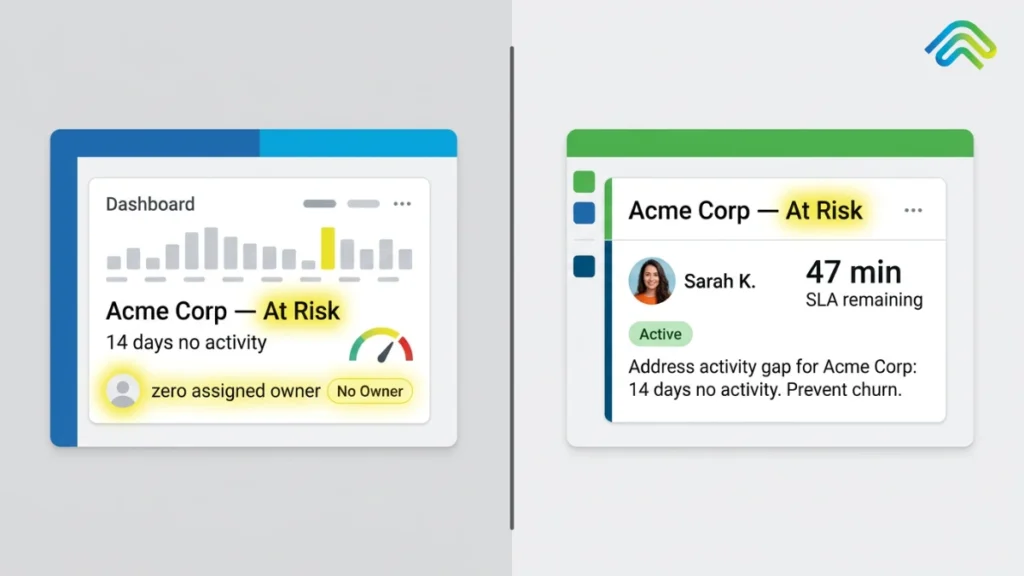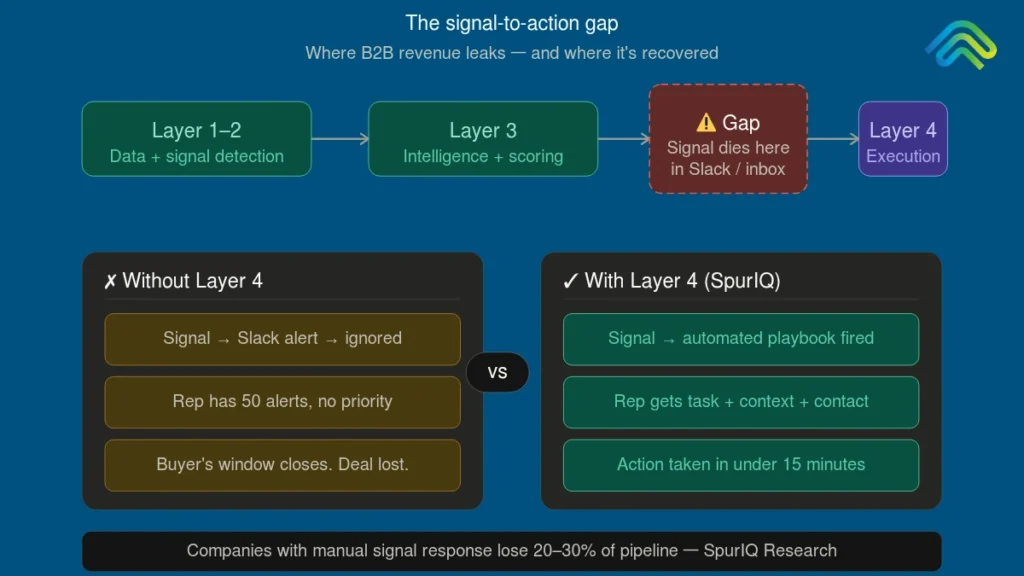
AI Strategy

signal based outbound strategy
Outbound & Prospecting, AI Strategy

From Spray and Pray to Signal-Led Outbound: How to Make the Shift in 2026

Most sales teams still run on spray and pray. Same list, same email, same silence, every month. Sound familiar? The numbers show how well that works: the average cold email reply rate is just 3.43%, according to the Instantly 2026 Benchmark Report. Fewer than four people respond for every 100 emails sent. The bigger issue is that 95% of your market is not actively buying at any given time, as explained by Professor John Dawes’ research on the 95:5 Rule. Traditional cold outbound treats every prospect the same, wasting effort on buyers who are not ready while generating low reply rates. Signal-led outbound changes that focus on buyers already showing purchase intent. Instead of interrupting everyone, it reaches the right people at the right time, often increasing reply rates to 15–25%. The challenge is that many teams stop after buying a signal detection tool. They can identify intent signals but struggle to turn them into effective outreach. Detection without execution changes very little. This guide walks through the complete shift from cold outreach to signal-led outbound, covering the four phases, realistic benchmarks, key metrics, and the execution strategies most teams overlook. Why Signal-Based Outbound Won?  Signal-based outbound didn’t outperform because it reached more prospects. It won because it reached the right prospects at the right moment. Instead of guessing who might be interested, sales teams started acting on real buying signals. Here are the three shifts that changed outbound forever. 1. Inbox Saturation The average B2B buyer now receives more than 120 cold emails every week. Even well-written messages disappear in crowded inboxes because everyone follows the same volume-first strategy. Signal-based outbound breaks through the noise by reaching prospects after they show buying intent, making every email more timely and relevant instead of just another cold pitch. 2. Deliverability Collapse Sending thousands of cold emails from a single inbox damages domain reputation and forces teams to invest in burner domains, inbox warm-up, and constant infrastructure maintenance. Signal-based outbound reduces email volume by focusing only on high-intent prospects, helping protect deliverability while generating better results with fewer emails. 3. The 95:5 Problem At any given time, only about 5% of your market is actively looking to buy, yet traditional outbound treats every prospect the same. Signal-based outbound identifies those in-market buyers through intent signals, allowing sales teams to prioritize outreach where it’s most likely to convert instead of wasting effort on the remaining 95%. The results speak for themselves. Signal-triggered outreach often delivers reply rates of 15 to 25%. Growleads’ analysis of more than 200 B2B campaigns also found that programs using three to five intent signals achieved 4 to 10% meeting conversion rates. That means up to four times more replies and 30 to 40% lower cost per qualified meeting than traditional cold outbound. Want to see the difference in action? Read our full comparison of signal-based vs cold outbound. The 5 Signal Types That Actually Matter Not every signal is equal. The teams that build high-converting programs start by understanding the difference between a weak signal and a strong one, and they stack them. Here is a tiered breakdown of these five signals based on conversion potential. Tier 1: Job changes  A new VP or Director stepping into a target role is one of the most powerful buying signals in B2B. They are rebuilding their stack. They have budget authority. They are open to new vendors because they are not yet locked into their predecessor’s choices. Reaching a new executive within two weeks of a job change consistently produces strong meeting rates. Tier 1: Funding rounds Funding rounds are one of the strongest company-event signals because they often indicate new budget and active investment plans. A company that has just raised money has a budget to spend and a headcount to grow. They are actively evaluating tools they could not justify six months ago. Funding triggers represent a genuine budget event, not vague interest. Tier 2: Intent signals Intent signals are buyer actions that indicate active interest in solving a problem. These include pricing page visits, G2 comparisons, competitor research, and content downloads. Furthermore, these signals show active evaluation behaviour. If you spot just one intent signal, it’s probably too early to reach out. But if you see three or more signals stacking up, you’re likely looking at a buyer who’s actively evaluating solutions.  Tier 2: Hiring patterns A company hiring for the role your product supports is signalling both budget and pain at the same time. If they are building an SDR team, they need outbound tooling. If they are hiring a RevOps manager, they are investing in their revenue stack. Hiring patterns are a leading indicator worth watching closely. Tier 3: Technographic changes Tech stack adoptions, contract renewals, and vendor switches move slowly, but they add useful context when layered on top of Tier 1 or Tier 2 signals. The stacking rule A single signal is context. Stacked signals are intent. Most teams that struggle with signal-based outbound are acting on single signals rather than waiting for two or three to align. That is where the conversion gap comes from. Patience in signal stacking pays off more than speed in signal acting. The 4-Phase Transition From Cold to Signal-Led Moving from cold outbound to a signal-led strategy is not something you do overnight. It requires a structured process that lets you test, learn, and scale without disrupting your pipeline. The four phases below provide a practical roadmap to help you make the transition with confidence. Phase 1: Pick One Signal, One Segment (Week 1 to 2) Do not try to rebuild your entire outbound program in a week. Pick the single highest-converting signal for your ICP, usually job changes or funding rounds, and one target segment. Set up detection by connecting one signal source to watch 50 to 100 named accounts. LinkedIn Sales Navigator, Common Room, and Apollo all work for this purpose. Write two to three outreach templates built around that specific signal. Not generic

what is ai sdr
AI Strategy, Outbound & Prospecting

AI SDR in 2026: How AI Sales Development Reps Are Reshaping Outbound

AI SDRs are the fastest-growing category in B2B sales tech right now. They are also one of the most disputed. The marketing pages promise an outbound team that never sleeps and never asks for a raise. Then you talk to the teams that actually bought one, and the story gets a lot more complicated. Industry analysis shows somewhere between 50 and 70 percent of AI SDR tools get cancelled within their first year, roughly double the turnover rate of the human reps they were meant to replace. That is not a small footnote. That is more than half the category failing to stick. So what is actually going on here? AI SDRs are real, the technology behind them genuinely works, and plenty of teams get real value out of them. But the gap between what gets promised on a demo call and what survives a renewal conversation a year later is wide, and almost nobody explains why. This guide walks through what AI SDRs actually do in 2026, where they earn their keep, where the wheels come off, why so many buyers end up disappointed, and what teams who want the outcome without the gamble are doing instead. What is an AI SDR? An AI SDR is software that automates the work of a human sales development representative. That means finding prospects, researching accounts, writing personalised outreach, managing follow-up sequences, and booking meetings, all without a person doing it by hand.  In 2026, the category covers two fairly different things. On one end you have fully autonomous agents, tools like 11x, Artisan, and AiSDR, built to replace the SDR role outright. On the other end you have signal-led execution systems, built to support a human SDR by stripping away the manual research and admin work while a person still handles the actual conversation. Both get filed under the same loose label, which is a big part of why the category feels confusing the moment you start comparing tools. The appeal is obvious on paper. AI SDRs handle the part of the job that eats most of an SDR’s week: the prospecting, the list building, the first draft of every email, the endless follow-up chasing. The promise is more pipeline with less headcount and outreach that runs around the clock. The reality, once you look past the demo, is a lot more nuanced, and we will get into exactly where that nuance shows up later in this guide. What an AI SDR is not, matters just as much. It is not a chatbot bolted onto your website. It is not a CRM plugin with a fancy new name. It is not plain email automation wearing an AI label for marketing purposes. A genuine AI SDR makes decisions, such as whom to contact, when to reach out, what to say, when to follow up based on live data rather than a fixed set of rules. That distinction also separates it from the narrower AI outbound agent category, which usually focuses on one channel, often voice, rather than the full multi-channel motion. How Do AI SDRs Actually Work? AI SDRs automate the prospecting process, from identifying potential buyers and enriching contact data to personalizing outreach, managing follow-ups, and booking meetings. Here’s how the process typically works.  1. ICP targeting: The tool builds a prospect list by matching your ideal customer profile against firmographic data and early intent signals, things like company size, industry, and recent activity that suggest genuine fit. 2. Signal detection: It keeps watch for job changes, funding announcements, new tech adoption, pricing page visits, and other moments that suggest a company is actually showing buying behaviour, not just sitting on a static list. 3. Contact enrichment: It pulls verified emails, phone numbers, and LinkedIn details, usually through what the industry calls waterfall enrichment, checking one data source and falling back to the next when the first one comes up empty. 4. Personalised outreach: It drafts emails and LinkedIn messages that pull in real context about the prospect’s company, rather than just swapping a first name into a template. 5. Multi-touch follow-up: It manages a sequence across channels and adjusts timing based on how the prospect responds, or does not respond. 6. Meeting booking: Once someone replies with genuine interest, the system qualifies them and gets a meeting on the rep’s calendar. That is the loop almost every AI SDR article on the internet walks you through, and it is accurate as far as it goes. Here is the part that gets left out nearly every single time. The meeting gets booked, and the article ends there.  The real challenge begins after the meeting is booked. Ensuring CRM records stay accurate, deals continue progressing, and warning signs of stalled opportunities are caught early is where many pipelines begin to leak. We’ll come back to why that matters in a moment. Where AI SDRs Genuinely Deliver AI SDRs are not good at everything, but they excel in a few areas that have a direct impact on pipeline generation. Their biggest strengths are speed, consistency, scale, and rapid response to buyer intent signals.  The impact extends beyond outreach efficiency. Sales reps already spend a large portion of their week on activities that have little to do with actual selling, including data entry, manual research, and administrative work. By taking over much of that workload, AI SDRs free reps to focus on conversations and relationship building. The results show up in pipeline performance as well. Saleshandy’s 2026 analysis found that companies using AI to support human SDRs generated 2.8 times more pipeline than teams relying on manual processes alone. None of this is hype. AI SDRs can deliver real value. The more important question is what happens after the meeting gets booked, and that is where the category starts to wobble. Where AI SDRs Break and Why So Many Buyers Walk Away AI SDRs are great at creating activity, but activity alone does not guarantee results. Challenges around execution, visibility, personalization, and learning

what is b2b sales
Revenue Operations, AI Strategy

What is B2B Sales? The Complete 2026 Guide to Modern B2B Selling

B2B sales (business-to-business) is the process of selling products or services from one business to another business, rather than to individual consumers. That definition has not changed. What has changed is everything around it. The real question is not just what is b2b sales, but how they function in the current buyer-driven market. B2B sales is undergoing its biggest structural shift in two decades. Buyers are no longer waiting for a sales rep to educate them. According to 6Sense, 81% of B2B buyers now choose their preferred vendor before they ever pick up the phone with a salesperson. This shift has forced sales teams to rethink how they engage prospects, personalize outreach, and identify buying intent much earlier in the journey. As a result, AI has moved from a pilot experiment to a daily operating reality. A Salesforce report found that 81% of sales teams use it somewhere in their workflow. Furthermore, capital efficiency has become non-negotiable, with median CAC payback now stretching to 20-23 months, according to Benchmarkit (2025). The selling motion that drove revenue in 2019 is not the one driving revenue in 2026. If we simplify the B2B sales meaning, it is still about businesses selling to businesses, but the way it happens has become far more complex, data-driven, and signal-led. In this guide, we’ll discuss the following:  So, without any delay, let’s begin the guide! What is B2B Sales? B2B sales, or business-to-business sales, is the process where companies sell products or services to other companies rather than to individual consumers. Unlike B2C sales, B2B transactions usually involve higher deal values, longer decision-making cycles, multiple stakeholders, and more detailed evaluation processes.  In practice, B2B sales work very differently from consumer purchasing. A person buying a laptop may decide in a single afternoon. A company purchasing an enterprise software platform, however, often goes through several stages before making a final decision. This process may include: Because of these steps, the buying journey can stretch across several weeks or even months. That complexity is not a flaw in the system. It reflects the scale of what is at stake. A poor enterprise-level software decision can lead to millions in losses, operational disruption, reduced productivity, and long-term business challenges. The buying process takes longer because the risks, investments, and expectations are significantly higher. Common B2B Sales Examples B2B sales occur across almost every industry, from technology to manufacturing. Here are some common real-world examples below: B2B Sales vs B2C Sales: What’s the Real Difference? The main difference between B2B and B2C is not a footnote. It influences every decision a sales organisation makes. From hiring and pipeline structure to performance measurement, it also shapes the overall B2B sales strategy. For a closer look at how inbound and outbound operate differently within B2B itself, see what is the actual difference between inbound and outbound B2B sales:  Dimension B2B Sales B2C Sales Buyer The buyer is usually a business, company, or organisation purchasing for operational or growth needs. The buyer is typically an individual consumer purchasing for personal use. Average deal size Deal sizes are usually larger, ranging from $1,000 to $1M+ in annual contract value (ACV). Purchases are generally smaller, typically between $5 and $1,000. Sales cycle The sales cycle can take 30 days to 18 months, with 90–120 days being common in SaaS. Buying decisions are usually made within minutes, hours, or a few days. Decision-makers B2B purchases often involve 6–10 stakeholders as part of a buying committee. The decision is usually made by 1–2 people, such as an individual or a partner. Purchase rationale Businesses focus on ROI, efficiency, and long-term value, though emotions still influence decisions. Consumers are more influenced by emotions, lifestyle preferences, and impulse buying. Evaluation process Buyers often go through demos, trials, RFPs, security checks, and legal reviews before purchasing. Buyers mainly rely on reviews, photos, ratings, and quick product comparisons. Marketing approach Marketing is usually account-based, signal-led, and focused on educational content. Marketing depends more on ads, social media, branding, and mass-market campaigns. Relationship intensity B2B sales focus on long-term partnerships and multi-year contracts. B2C purchases are often transactional or one-time interactions. Sales team structure Companies often have specialised teams such as SDRs, AEs, CSMs, and RevOps professionals. Many B2C businesses rely more on marketing or self-service purchasing than on dedicated sales teams. Margin profile Businesses usually earn higher margins per deal but close fewer deals overall. Companies depend on lower margins per deal with much higher sales volume. The biggest difference between B2B and B2C sales is the buying committee. While a consumer can make a decision alone, B2B purchases usually require approval from multiple stakeholders, each with different priorities. For example, IT focuses on security, finance looks at cost, sales cares about adoption, and end users want a tool that makes their work easier. That is why multi-threading is so important in B2B sales. Successful reps build relationships with several decision-makers, because deals that rely on just one internal champion are far more likely to stall or fall apart. B2B vs B2C sales comparison – Spuriq.ai  The Modern B2B Sales Process The B2B sales process has seven stages. Each stage demands a different skill set, a different type of conversation, and a different goal. The best sales organisations execute all seven with consistency. Outbound prospecting and outbound lead generation continue to play a critical role in the early stages of pipeline creation, especially in modern B2B revenue teams.  Stage 1: Prospecting Every deal starts with a list, but not just any list. Great prospecting means identifying the right accounts before outreach even begins. In practice, this means building a list of companies that match the ideal customer profile and then finding the right contacts within them. In 2026, the best teams are not working from static databases. They are chasing signals. A logistics software company does not cold email every operations director it can find. It looks for companies that just raised a Series B, opened new warehouse locations, or

using ai for sales prospecting
Outbound & Prospecting, AI Strategy

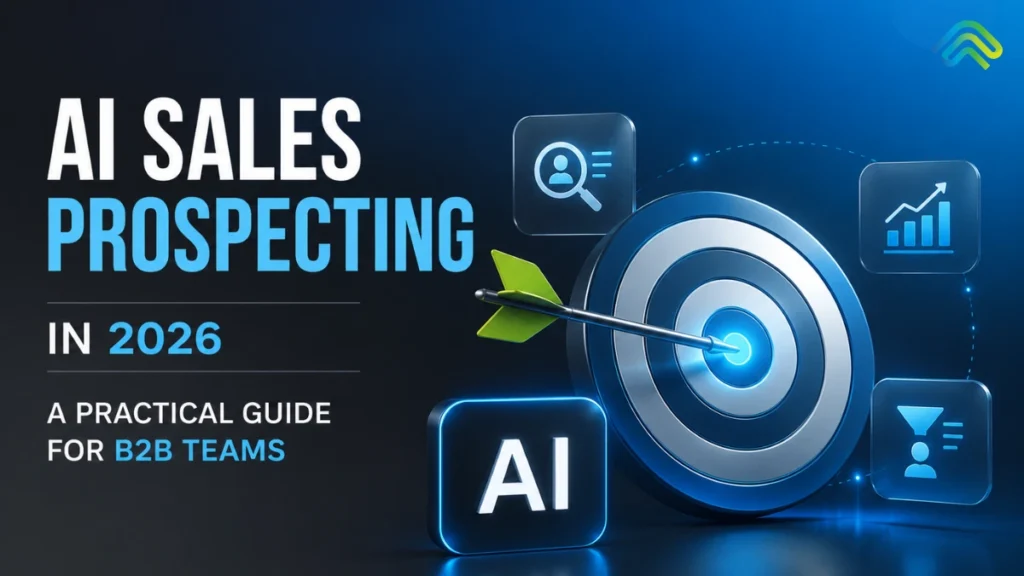
AI Sales Prospecting in 2026: A Practical Guide for B2B Teams

The reality of B2B sales in 2026 is unyielding: AI for sales prospecting has shifted from a cutting-edge competitive advantage to the absolute baseline for revenue survival. According to the Salesforce State of Sales 2025 report, 81% of sales teams are actively using or experimenting with artificial intelligence tools in their prospecting workflows. The debate is no longer about whether to invite algorithms into your go-to-market (GTM) strategy – it is about how to deploy sales prospecting AI without driving your conversion metrics off a cliff. Here lies the modern paradox. High-performing AI prospecting  tools have made it 10x faster to scrape a list, enrich a contact record, map a target account, and spin up a highly personalized message. Yet, the Instantly Benchmark Report reveals that B2B cold email reply rates have plummeted to an all-time low of 3.43%. We have entered the era of “more AI, fewer replies.” When scaling outreach becomes effortless via modern AI prospecting tools, the buyer’s inbox simply becomes a battlefield of automated noise. This comprehensive playbook is built for Heads of Sales, RevOps leaders, SDR Managers, and founders who are ready to move past the superficial hype. You will discover exactly how modern AI for sales prospecting operates in 2026, mapping out the four operational stages where intelligence creates real leverage, analyzing the structural traps that stall mid-funnel pipeline, evaluating specialized software, and uncovering the missing execution layer that separates market leaders from the rest of the pack. What Is AI for Sales Prospecting? Enterprise AI for sales prospecting is the systematic application of artificial intelligence – specifically machine learning models, natural language processing (NLP), and large language models (LLMs) – to automate or significantly augment the operations of identifying high-fit prospects, gathering structured account intelligence, enriching contact data, and generating contextual outbound outreach at scale. In practice, modern sales prospecting AI collapses activities that used to consume hours of manual SDR labor into a series of instantaneous background processes. Instead of a rep spending an entire afternoon cross-referencing LinkedIn profiles, corporate balance sheets, and tech-stack registries, a sales prospecting AI engine handles it instantly. This transitions outbound prospecting from a brute-force volume play to a game of surgical precision. Instead of removing the human, deploying an optimized architecture for AI for sales prospecting is designed to strip away the repetitive administrative burden that routinely buries a senior rep’s strategic insight. Why the Shift Happened Three macroeconomic and technical factors converged to make this playbook essential: The Four Stages Where AI Delivers Real Lift A highly functioning B2B prospecting engine relies on a clean, predictable workflow. Implementing tailored AI prospecting tools across these four core stages yields quantifiable efficiency gains, provided you understand where the technology excels and where its boundaries lie. Stage 1: List Building & ICP Targeting When assessing AI for sales prospecting, look first at target identification. Rather than relying on manual, static filters, machine learning algorithms analyze your historical closed-won data to identify look-alike accounts. These AI prospecting tools automatically score accounts based on firmographic fit, technographic alignment, and active intent, dynamically building lists that adapt as market conditions change. Stage 2: Account & Contact Research This stage uses intelligent agents built into premium AI prospecting tools to comb through unstructured web data – quarterly earnings reports, leadership shakeups, active job postings, technology adoptions, and public press releases. The underlying sales prospecting AI synthesizes these disparate data points into a crisp, 1-to-2 paragraph account brief for the rep. Stage 3: Personalized Outreach Generation Modern LLM orchestration engines analyze the gathered account intelligence alongside the prospect’s profile to generate hyper-contextual multi-channel sequences. These advanced AI prospecting  tools automatically engineer specific variants to support continuous, algorithmic A/B testing. Stage 4: Signal Detection & Trigger-Based Outreach Algorithms within sales prospecting AI software continuously monitor external digital environments for explicit buying signals, such as leadership changes, new rounds of funding, specific pricing page visits, or sudden surges in technical job openings. The system surfaces these triggers to initiate an outreach workflow the moment the signal is registered. The Trap Most Teams Fall Into When sales organizations scale up their use of AI tools for prospecting, build extensive lists, and deploy automated personalizations, they often find that their aggregate pipeline metrics stall or drop. When this happens, revenue leaders frequently blame the software. However, the problem rarely lies within the tools themselves. Instead, it stems from four systemic operational traps. Trap 1: Volume Inflation Because implementing AI for sales prospecting makes it remarkably simple to launch personalized messages, organizations fall into the trap of multiplying their total output. Unfortunately, as every team scales their volume via automated AI prospecting tools, the market experiences severe inbox saturation. According to Sopro 2026 data, the average B2B decision-maker now receives more than 120 cold emails every single week. Pumping out a higher volume of messages into an already overcrowded ecosystem simply accelerates buyer fatigue and triggers spam filters. Trap 2: Personalisation Theatre Sophisticated B2B buyers have developed a keen eye for automated personalization patterns generated by basic sales prospecting AI platforms. An opening line like: “Hi Sarah, I noticed your team at EnterpriseCorp just raised its Series B and is expanding the engineering team…” may be accurate, but it reads instantly as a boilerplate template populated by an AI script. When personalization feels performative rather than genuinely consultative, prospective buyers tune out. Trap 3: Stopping at the Email The vast majority of automated outbound workflows terminate the moment the initial message is sent. They lack a mechanism to manage subsequent, contextual engagement. According to research by the RAIN Group, 52% of sales professionals fail to follow up a second time. While AI for sales prospecting software might help your team craft a strong first touch, a broken follow-up process prevents you from capturing the value of that initial contact. To see how to optimize these multi-touch touchpoints, teams must learn how to refine their sales call follow up email cadences across the entire pipeline journey. Trap 4:

sales call follow up email
AI Strategy

Sales Call Follow-Up Email: 12 Templates and Scripts That Actually Win Deals (2026 Guide)

You just got off a great sales call. The buyer was engaged. They leaned in when you showed them that specific workflow. They asked good, probing questions about implementation. You mutually agreed on the next steps, smiled, and ended the Zoom meeting. Now you are back at your desk, staring at your inbox, and you have exactly 30 minutes before your next scheduled call. What you do in those next 30 minutes will fundamentally decide whether this deal closes or quietly dies in the pipeline. If you have been searching for exact frameworks on how to write follow-up email after sales call meetings to keep momentum alive, this guide is your answer. The data on post-call behavior is staggering. According to internal studies at SpurIQ, 52% of sales reps never follow up twice. Worse, the buyer’s memory of your call decays rapidly. Applying the Ebbinghaus forgetting curve to B2B sales reveals that your buyer will forget roughly 50% of your conversation within 24 hours. However, reps who send a highly relevant follow up email after sales call wrap-ups within 30 minutes see 2.4x higher reply rates compared to those who wait until the next day (Sopro 2026). This guide isn’t about the vague philosophy of “staying in touch.” It is an execution manual. A high-converting sales call follow up email is a strategic asset. Below, you will find 12 tailored templates organized by exact scenarios-from post-discovery to stalled deals. You will also get the timing framework that dictates which template wins, the subject lines that actually get opened, and a breakdown of the critical mistakes that kill follow-ups before they are even read. Why Most Follow-Up Emails Fail Before you copy and paste a template, you need to understand why your current follow-ups are being ignored. Modern buyers are inundated with automated cadences and generic check-ins. Your sales call follow up email strategy has to stand out. If your email falls into one of these five failure patterns, it will be archived instantly. The 5 Failure Patterns Every template in this guide is built to structurally address Failures 1 through 4. Failure 5-the very real problem of emails simply not getting sent-is a structural workflow issue, and we will come back to how top teams solve it in the final section of this guide. 12 Sales Call Follow-Up Email Templates That Win Deals This is the core of your execution strategy. Below are 12 follow up sales call script examples, mapped to specific scenarios in the sales cycle. Every follow up script for sales calls below is designed to be copied, pasted, and adapted. Always replace the bracketed information [Like This] with highly specific details from your call. Template 1: Post-Discovery Call – The Standard Recap Scenario: You just finished a discovery call. The buyer was engaged, shared some pain points, but no concrete, calendar-booked next step was committed to on the call. When to send: Within 30–60 minutes of the call ending. Subject line: Recap from our call + next steps Why it works: This template relies on the rule of three. By listing three highly specific details they shared, you prove active listening. Proposing one concrete next step removes the decision-making burden from the buyer. Finally, the “safety valve” at the end reduces resistance and invites a low-pressure correction, which often sparks a reply. In B2B SaaS contexts, variations of this framework yield 35–45% reply rates. Template 2: Post-Discovery Call – The Pain-Anchored Recap Scenario: During discovery, the buyer expressed clear, distinct pain but seemed highly hesitant about the urgency or the effort required to change. When to send: Within 60 minutes of the call ending. Subject line: Cost of waiting on [their specific challenge] Why it works: It addresses their hesitation head-on, which builds immediate trust. Instead of pitching features, it reframes their inaction as a tangible cost, creating urgency without applying aggressive sales pressure. Template 3: Post-Discovery Call – The No-Decision Save Scenario: The discovery call ended with the dreaded phrase, “Let us think about it and get back to you.” This is a classic indicator of a no-decision outcome. When to send: Within 2 hours of the call ending. Subject line: Two questions before you decide Why it works: It reframes “I need to think about it” from a stall tactic into a structured internal decision exercise. By stating “Either answer is fine,” you signal massive professional confidence and detach from the outcome. Template 4: Post-Demo – The Standard Recap with Proof Scenario: You delivered a standard product demo to multiple stakeholders. The demo went well, objections were handled, and it is time to solidify next steps with a tailored follow up email after sales presentation. When to send: Within 30 minutes of the demo ending. Subject line: Demo recap + the one thing I’d revisit Why it works: This executes perfect multi-threading by CCing all stakeholders, keeping the whole buying committee aligned. It intentionally highlights the area of pushback rather than sweeping it under the rug, providing immediate proof/resources to resolve it. Template 5: Post-Demo – The Champion-Activation Email Scenario: During a group demo, one specific person was clearly the most engaged. They asked the smartest questions and seemed to grasp the value immediately. This is your potential champion. When to send: Within 60 minutes of the demo ending. Subject line: Quick thought on what you said about [specific topic] Why it works: Champion activation is arguably the highest-leverage move in modern B2B sales. This email validates their intelligence, which drives internal commitment. Template 6: Post-Proposal – The Confident Close Scenario: The proposal has been sent. The buyer has had it for 3 to 5 days, and the once-active conversation is starting to slow down. When to send: 3–5 business days after the proposal was sent. Subject line: Where are we? Why it works: This is the highest-converting check-in pattern in modern sales. It is highly direct without crossing the line into aggression. By explicitly naming three plausible scenarios, you give the buyer

what is revenue operations
Revenue Operations, AI Strategy

What is Revenue Operations? The Complete 2026 Guide for B2B Teams

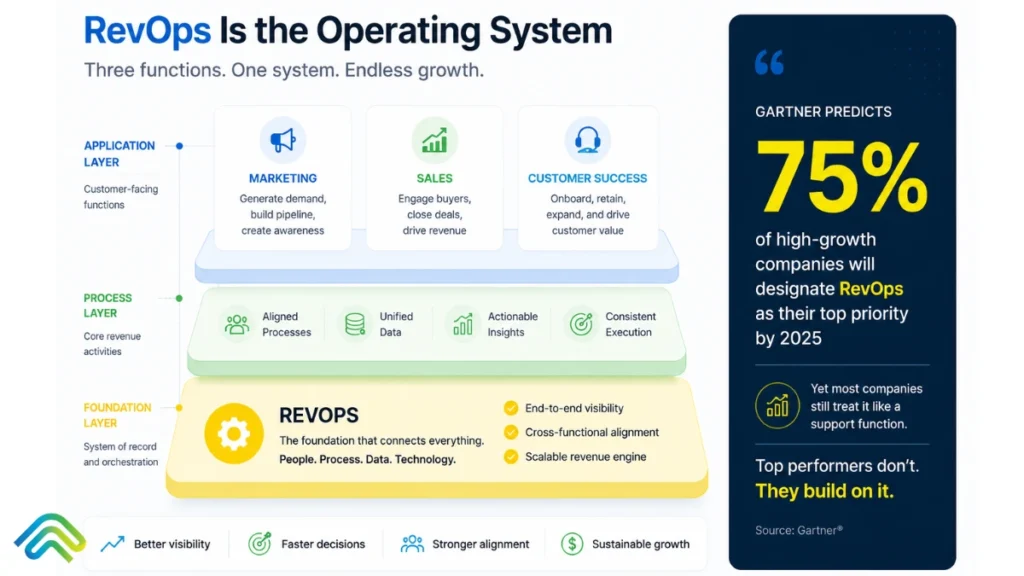
A Series B founder hears the phrase “revenue operations” three times in a single week. Once, a board member asked why the forecast keeps missing. Once on a podcast where a CRO credits RevOps for a successful IPO. And once from a recruiter pitching a VP RevOps hire as the solution to every GTM problem. Each person used the same two words. Each meant something slightly different. The founder walks away more confused than before, wondering whether RevOps is a real function, a philosophy, or simply the latest B2B buzzword. Here is the answer: revenue operations is a real, measurable function, and the data on its impact is unambiguous. Companies with mature RevOps grow revenue 19% faster. Organisations that achieve cross-functional alignment see 36% higher revenue growth and 28% higher profitability, as per Forrester. And public companies with strong RevOps programmes outperform peers by 71% in stock performance over five years. This guide answers four questions in order: what RevOps is, why it emerged when it did, how it actually works, and whether your team needs it. It is the foundational reference. If you want the implementation framework, the full strategy guide is at /revenue-operations-strategies. What is Revenue Operations?  Revenue operations (RevOps) is a B2B business function that aligns sales, marketing, and customer success teams around shared revenue accountability, with shared data, shared metrics, and shared execution standards.  This revenue operations definition holds across several companies, GTM motion, and industry: RevOps is the operating system underneath the revenue function, not a tool, a title, or a department rename. Where sales, marketing, and customer success have historically operated as three separate teams with three separate targets, three separate dashboards, and three separate definitions of success, RevOps consolidates them into one coherent system. The goal is simple: to drive revenue growth by eliminating the friction that siloed teams create across the entire customer journey.  What RevOps Does  What RevOps is NOT Common synonyms: Revenue operations strategy, RevOps function, revenue operations team. “Ops revenue” is sometimes used as shorthand but is technically inverted and best avoided in professional contexts.  Why RevOps Emerged: A Brief History RevOps didn’t appear overnight. It evolved in direct response to how B2B selling broke, scaled, and demanded more. Here is how the function evolved, year by year, from a fragmented back-office role to a boardroom priority. Sales ops, marketing ops, and customer success ops existed as separate functions. Each owned its own metrics, tooling, and pipeline version. Forecasts didn’t reconcile across functions. Handoffs broke routinely, and nobody owned the gaps. SaaS companies began consolidating these three ops revenue functions into a single team to solve the handoff problem. The label “revenue operations” became dominant around 2017 to 2019. Salesforce, HubSpot, and Outreach all formalised RevOps roles during this period. RevOps mainstreamed during the SaaS boom. The function exploded in headcount as companies scaled fast and needed cross-functional discipline to manage growth without chaos. Average RevOps team sizes roughly doubled. Capital efficiency stopped being optional. Median CAC payback stretched to 20 to 23 months (Benchmarkit 2025), more than double the previous benchmark. RevOps became the function responsible for delivering the efficiency that investors were now demanding. With a sharper focus on customer acquisition cost, net revenue retention, and annual recurring revenue as the primary indicators of health.  AI-driven execution emerged as the missing layer. The strategy frameworks were largely solved. The execution gap, the distance between a RevOps plan and reliable rep behaviour, became visible. The teams that closed it pulled away from the rest. By 2026, 75% of B2B SaaS leaders name RevOps as a top-3 strategic priority (Gartner 2025). The Scope of Revenue Operations Understanding what RevOps owns versus what adjacent functions own is where most organisations get confused. Blurring these boundaries leads to duplicated effort, unclear accountability, and a RevOps leader who ends up as a catch-all inbox for GTM problems nobody else wants to own.  What RevOps Owns Shared ICP, shared lifecycle definitions, and shared metrics across sales, marketing, and CS. RevOps is the function that forces three teams to agree on what “qualified” means, what “closed” means, and what “at risk” means, before those terms appear in a board deck. A single source of truth in the CRM, integrated with marketing automation platforms, sales engagement, CS platforms, billing/ERP, and product usage data. RevOps does not just own the CRM; it owns the logic that connects everything to it. Lifecycle stages, qualification frameworks, handoff SLAs, deal desk management, RACI matrices, and governance rituals. These are the behaviour standards that make the rest of the function operational rather than theoretical. Forecasting, attribution, capacity planning, territory design, compensation plan input, and board-level revenue reporting. RevOps translates pipeline data into the language leadership uses to make decisions. CRM administration, GTM tool selection, integration design, and data warehouse decisions. RevOps owns the system, not just the tools inside it. What RevOps Does NOT Own The Four Pillars of Revenue Operations Every mature RevOps function is built on four pillars. Each one is described here at a conceptual level. The revenue operations framework below is the conceptual foundation. Let’s have a look: Shared definitions, metrics, and accountability across sales, marketing, and CS. The work of getting three functions to operate as one coherent revenue system. Without this pillar, every other investment in data, process, and tooling collapses into siloed efforts that never reconcile. A single source of truth, integrated tooling, and working attribution across the full funnel. This is the plumbing under everything else. The scale of the problem is often underestimated: 45% of B2B contacts are never logged in CRM today (Salesforce 2025). Customer data quality is the foundation of everything that follows. Fixing this is most of the foundational work.  Documented playbooks, qualification frameworks, lifecycle stage definitions, and governance rituals. The behaviour standards that make consistency possible across reps, quarters, and GTM motions. Without this pillar, alignment becomes aspiration rather than operation. The system that turns the first three pillars into reliable behaviour at the precise moment

revenue ops vs sales ops
Revenue Operations, AI Strategy

Revenue Operations vs Sales Operations: Understanding the Key Differences and Choosing the Right Strategy

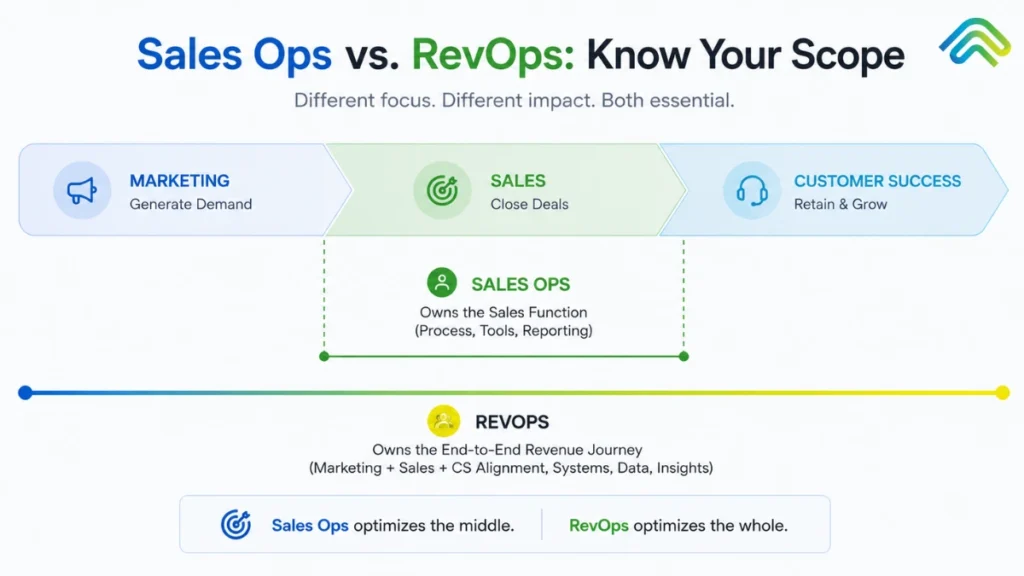
If you’re a Series B founder sitting at your desk, reviewing two resumes your recruiter just forwarded, you might be asking yourself the critical question of revenue ops vs sales ops. The first profile is a “Sales Operations Manager” and the second one a “Revenue Operations Lead.” Both candidates boast about improving CRM hygiene, tightening forecast accuracy, and optimizing the tech stacks that support your business operations. You have a critical decision: which function does the business actually need to scale sustainable growth and drive predictable revenue growth? Since 2022, search volume for “revops vs sales ops” has tripled, reflecting widespread confusion across B2B SaaS companies striving to align their sales functions and customer success processes. As businesses scale past early startup stages, the cracks in their go-to-market motions start to show, and leadership reflexively looks to operations professionals to fix them. However, most resources answer this query as a simple glossary definition. The real question isn’t just what these terms mean – it is which function your specific business needs, when to hire for it, and how to evolve your operational structure to maximize annual recurring revenue and improve customer retention. This guide breaks down exactly what you need to know. We will cover: So, without wasting time, let’s dive into the blog! What Is Sales Operations? Sales operations, often simply referred to as sales ops, is the functional backbone designed to improve the productivity, efficiency, and effectiveness of the sales team specifically. While it originated in the 1970s with Xerox’s pioneering efforts, it matured into a standard sales department pillar by the early 2000s as CRMs became the “system of record.” The sales operations team focuses on the “how” of selling. They are the mechanics of the overall sales engine, ensuring that sales representatives aren’t bogged down by friction. Their key functions and core responsibilities include: Typically, sales ops professionals report to a VP of Sales or a Chief Revenue Officer (CRO). In the traditional model, this function sits firmly inside the sales org. When sales operations initiatives are successful, you’ll see a direct impact on sales performance: sales reps spend less time on administrative tasks, sales productivity climbs, and sales metrics like forecast accuracy finally stabilize. The sales team begins to operate as a productive engine, rather than a collection of individual heroes. However, there is a historic limit: sales ops focuses almost exclusively on the sales funnel from the moment a lead is qualified until the deal is won. It doesn’t own the customer journey before the SQL handoff, nor does it manage existing customers after the closing deals phase. In this siloed model, marketing and customer success run their own ops in parallel, and the handoffs between them are frequently where revenue leaks occur. What Is Revenue Operations? Revenue operations, or RevOps, is the strategic function that aligns sales, marketing, and customer success around shared revenue accountability. While sales ops is primarily about the sales reps, a revenue operations team is obsessed with the entire customer journey. Revenue operations vs sales isn’t just a rebranding. This function emerged between 2017 and 2019 and became mainstreamed during the 2020–2022 SaaS boom when companies realized that “growth at all costs” was no longer a viable strategy. A revenue operations strategy focuses on the full revenue generation lifecycle. Rather than looking at a single department, RevOps looks at the entire buyer journey. Core responsibilities include: Who reports into RevOps? Usually, a Chief Revenue Officer or a COO/CEO. RevOps spans the organization rather than sitting inside any one department. The goal of successful revenue operations is to ensure that revenue teams operate as one cohesive system. Why did RevOps emerge so rapidly? The SaaS economics that made strategic alignment optional in the 2010s broke. Capital efficiency stopped being a suggestion and became a requirement. With customer lifetime value (CLV) becoming the primary metric of company health, businesses realized they couldn’t afford a disjointed customer experience. According to Benchmarkit (2025), median CAC payback has stretched to 20–23 months. Companies that couldn’t make their marketing teams, sales teams, and customer success departments operate as one fell behind. Forrester reveals that companies with mature RevOps functions grow revenue 19% faster and achieve 15% higher profitability than their peers.  Key Differences Between RevOps and Sales Ops The main difference is scope. Sales operations is a specialized tool; Revenue operations is the entire toolbox. While sales ops focuses on the sales cycle length and rep behavior, RevOps looks at market trends and customer success metrics to see how the top of the funnel impacts the bottom. Dimension Sales Operations Revenue Operations Operational Scope Exclusively sales-focused. Supports SDRs, Account Executives, and Sales Leadership. Cross-functional. Encompasses Marketing, Sales, and Customer Success teams. Core Problem Solved Inefficient sales cycles, low rep productivity, and poor pipeline visibility. Misaligned departmental silos, leaky handoffs, and unpredictable revenue growth. Reports To VP of Sales or Chief Revenue Officer (CRO). Chief Revenue Officer (CRO), Chief Operating Officer (COO), or directly to the CEO. Primary Metrics Quota attainment, win rate, sales cycle length, pipeline coverage. Net New ARR, Net Revenue Retention (NRR), CAC payback, Customer Lifetime Value (CLV). Data Ownership Sales pipeline data. Focuses on CRM opportunity stages and individual rep activity metrics. Full-funnel unified data. Tracks the journey from anonymous website visitor to multi-year renewal. Tooling Focus CRM architecture, sales engagement (sequencing), and forecasting/pipeline dashboards. Integrating the CRM, marketing automation, CS platforms, and centralized BI/analytics. Process Scope Active sales motion only. From opportunity creation to the Closed-Won handshake. End-to-end lifecycle. From top-of-funnel lead generation through customer satisfaction retention and expansion. Forecasting Approach Sales-only forecast. Based on active opportunities, pipeline coverage, and historical rep win rates. Revenue-wide forecast. Combines new sales pipeline, expected cross-sell/upsell expansion, and projected churn. Attribution Model Pipeline-stage or single-touch. Focuses on last-touch or “opportunity source” (e.g., cold call vs. inbound). Multi-touch attribution. Sophisticated models (W-shaped, U-shaped) tracking all touches across the buyer journey. Customer Success Ops Strictly outside of scope. A core pillar of the function, ensuring smooth

revenue operations strategies
Revenue Operations, AI Strategy

Revenue Operations Strategies That Actually Work in 2026: The Four-Pillar Framework for Predictable B2B Growth

Every working RevOps strategy eventually faces the same uncomfortable truth. Most B2B revenue operations strategies don’t fail because the framework was wrong. They fail because the framework never made it out of the wiki. In 2025, SpurIQ fixed a Series C SaaS company that missed its Q2 ARR target by 18%. They had world-class RevOps dashboards, clean CRM data, and documented playbooks in Notion. The problem wasn’t strategy. The problem was that reps weren’t consistently following through on signals, and nobody noticed until the quarter was already lost. This is the execution gap that kills revenue operations strategies. Most B2B companies in 2026 don’t suffer from a lack of frameworks, they suffer from “slideware strategy” that lives in wikis and decks but never makes it into daily workflows. A strategic framework is essential for aligning teams such as marketing, sales, and finance, driving cohesive growth, and streamlining processes. Organizations often face communication breakdowns between departments, which can impede growth and lead to missed opportunities. A dedicated revops team is crucial for streamlining revenue-related processes, improving workflows, and ensuring compliance across functions. Business leaders play a key role in facilitating strategic execution, accountability, and cross-functional management within revenue operations. By Q1’s end, even the most sophisticated plans have decayed into good intentions. The distinction matters: system-embedded strategy means playbooks wired directly into tools and triggers. Revenue operations strategy must extend beyond alignment and metrics into an execution layer that turns every insight into a tracked action. This guide walks through the four pillars that separate RevOps strategies that compound from RevOps strategies that stay theoretical. The first three pillars are well-trodden ground; alignment, data architecture, process discipline. The fourth, the execution layer, is where the winning teams have started spending their attention in the past eighteen months. It’s also where most teams are still leaking revenue without realising why. What a Revenue Operations Strategy Actually Means A revenue operations strategy is an operational blueprint for how revenue is generated, monitored, and improved across the entire customer lifecycle. It’s not just about org charts or team structure. It’s a set of decisions about data management, processes, governance, and execution spanning marketing, sales, customer success teams, and finance. The key components of a revenue operations strategy include data, metrics, and analytics, which are essential for accurate sales forecasting, reporting, and performance tracking. The scope includes lead routing rules, ICP and qualification standards, lifecycle stages, handoff SLAs, compensation guardrails, and feedback loops from first touch to renewal. A revenue operations strategy connects teams, systems, and processes to ensure effective execution of go to market plans, allowing every function to work from the same structure and definitions. Integrating and sharing accurate customer data across marketing and sales tools is crucial for better decision-making and delivering seamless customer experiences. This contrasts with traditional go to market strategy, which focuses on who you sell to, what you sell, and why it matters. Revenue operations strategy answers the “how”: how does the system actually run day to day, and what happens when it doesn’t? Establishing clear principles helps reinforce the decision making process and shapes the company’s culture and structure. A well-structured revenue operations strategy provides a framework that defines how teams interact, what systems they use, and how information flows between groups. Successful revenue operations strategies can enhance collaboration across departments by aligning revenue teams around shared goals, breaking down silos, and improving the buyer experience. This alignment can be achieved through regular meetings and collaborative projects. Avoiding poor customer experiences is a critical goal, as managing the entire customer journey ensures a seamless experience and prevents revenue loss. Here’s a concrete example: in 2024, a B2B infrastructure startup cut their quote-to-close cycle from 56 to 34 days by redesigning approval workflows and SLAs under a unified RevOps strategy. Revenue operations strategies can lead to predictable business growth by ensuring consistent inputs, shared systems, and repeatable actions. Governance and processes are supported by business rules, with automated checks helping maintain compliance standards and protect profit margins. Also Read: Deal Risk Scoring: How AI Detects Stalled Deals Before Leadership Notices The 4 Pillars of a Working RevOps Strategy Most mature RevOps models converge on four practical pillars that connect strategy to outcomes. These pillars transform abstract alignment into measurable results. Today, a new framework—such as the CAT4 framework—replaces fragmented processes with centralized, real-time visibility and accountability, enabling better decision-making and operational excellence. The four pillars are: Pillars 1–3 dominated RevOps content and tooling from 2018–2024. But pillar 4, the Execution Layer, is where outperformance comes from in 2026. Companies can have clean CRMs but inconsistent follow-up. Detailed playbooks that reps don’t use. Great board metrics that don’t change field behavior. Implementing standardized processes and clear ownership within teams can significantly enhance collaboration and ensure all departments are aligned towards common goals. Marketing operations, in particular, transforms marketing from a cost center into a revenue driver by connecting every campaign directly to business outcomes, ensuring that marketing efforts contribute to growth. Pillar 1 — Data Management and Systems Foundation The data foundation establishes a single source of truth for all revenue operations. Without it, every downstream process breaks down into data silos and conflicting reports. Integrating customer data across marketing and sales tools is essential for providing real-time insights that drive better decision-making and personalized engagement. What belongs in this pillar: In 2025, a PLG SaaS company unified Segment events, Stripe billing, and Salesforce into a single account 360 view. This enabled usage-based expansion plays that lifted NRR by 15–20%. Coordinating efforts across multiple departments ensures seamless data flow and campaign execution, supporting consistent processes and resource management. The non-glamorous work matters most: deduplication (often reducing 15–25% duplicates), enrichment rules, field governance (RevOps approves new fields to prevent sprawl), and change management for new integrations. The adoption of new systems streamlines revenue operations and improves forecasting accuracy. Automating routine tasks and repetitive tasks in these processes improves workflow efficiency and frees up time for strategic activities. Pillar 2

deal risk scoring
AI Strategy, Revenue Operations

Deal Risk Scoring: How AI Detects Stalled Deals Before Leadership Notices

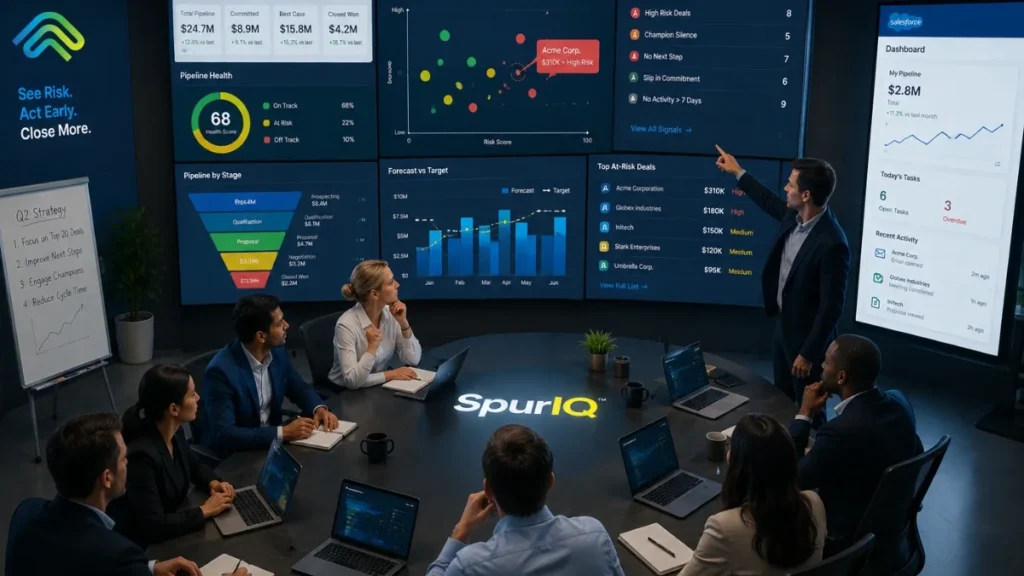
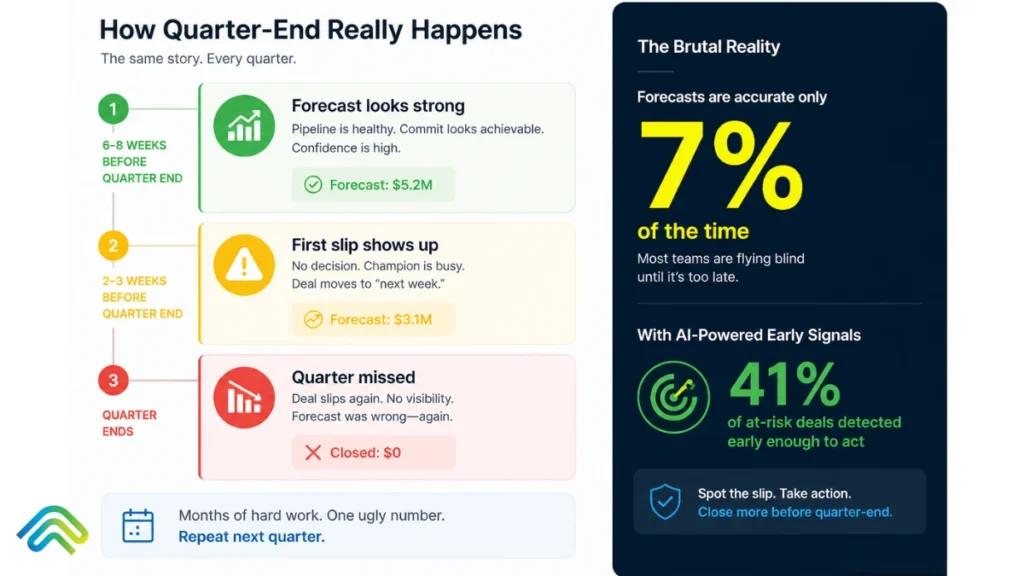
It’s the second Friday of the third month of the quarter. Your forecast says you’ll hit 102% of the plan. By the following Wednesday, three deals have slipped to next quarter. By Friday, that’s seven. The forecast was built on rep optimism, last week’s activity logs, and a CRM that updated when someone remembered to update it. Nobody saw the deal stall. Nobody could. Your VP Sales says it’s a timing issue. The reps say the buyer went quiet. The CRO knows what really happened: the deals were dying for weeks. Nobody had the system to see it. This quarter-end scramble is a universal pain point, and the data proves it. Only 7% of sales organizations achieve 90%+ forecast accuracy (Gartner Research). The median sits dangerously at 70–79%, and 69% of sales operations leaders say forecasting is becoming harder, not easier. Meanwhile, AI deal risk scoring – when properly implemented – flags at-risk deals 41% earlier than manual reviews and identifies up to 89% of deal failures before they happen. In this guide, we will break down exactly how this works. We will cover what deal risk scoring actually is, the hidden signals AI tracks that humans consistently miss, the proven framework for implementing it, and what separates the platforms that simply score risk from the platforms that actually save deals. What Is Deal Risk Scoring? (And Why Static Scoring Stopped Working) Deal risk scoring is a data-driven, systematic method for evaluating the health of sales opportunities. It assigns a numerical score to each open deal based on weighted indicators of risk, moving forecasting away from subjective rep gut-feel to an objective, evidence-based assessment. To understand where we are today, you have to look at the three generations of scoring approaches: Generation 1: Rep Gut-Feel Forecasting (1990s–2010s) For decades, forecasting relied on salespeople assigning probability percentages to deals (“I feel 70% confident this will close”). Managers would interrogate these numbers weekly in pipeline reviews, adjusting them up or down based on experience. The forecast accuracy rarely broke 50–60%. The core failure mode here is human nature: account executives are systematically, inevitably over-optimistic about their own deals. They have to be to survive in sales, but that optimism destroys pipeline predictability. Generation 2: Rule-Based CRM Scoring (2010s–early 2020s) As CRMs matured, RevOps teams tried to enforce logic. They built rule-based automation: If a deal has been in Stage 3 for 30 days, reduce probability by 10%. If there has been no logged activity in 14 days, flag the deal as yellow. While a step forward, this approach was brittle. It relied entirely on reps manually logging data. Reps quickly learned to “game” the system by sending a meaningless check-in email simply to reset the 14-day activity timer, creating a false sense of deal health. Generation 3: AI-Driven Deal Risk Scoring (2024–2026) Modern deal risk scoring doesn’t ask the rep for input; it passively ingests truth. AI models connect directly to the execution layer – email inboxes, calendar systems, Zoom recordings, and marketing engagement platforms. It analyzes the unstructured data (what the buyer is actually saying and doing) to assess risk objectively, in real time. Why the shift matters now: By 2026, over 60% of B2B sales teams use ML-derived intent and risk scoring as a core component of pipeline qualification (Gartner Market Prediction for Revenue Intelligence Platforms). The shift from rep self-reporting to evidence-based scoring isn’t a future trend – it is the new baseline for any competitive revenue organization. How AI Actually Detects Stalled Deals (The Six Mechanisms) The reason AI vastly outperforms human managers in pipeline reviews isn’t magic; it is processing capacity. A sales manager can review the last three emails on a deal. An AI model can review the last three years of successful deal patterns and cross-reference them against every micro-interaction happening today. Here are the six mechanisms AI uses to detect risk: Mechanism 1: Engagement Velocity Tracking AI doesn’t just look at whether an email was sent; it looks at the pace of the response. If a prospect historically replies to emails within 4 hours, and that response time slowly stretches to 12 hours, then 24 hours, then 48 hours – the AI flags the velocity decay weeks before the rep realizes they are being ghosted. Mechanism 2: Multi-Threading Analysis Enterprise deals require consensus. AI maps the communication graph to identify single-threaded vulnerabilities. If a $150K software deal only features back-and-forth communication with a mid-level manager, and the VP or IT Director hasn’t been cc’d or attended a meeting in three weeks, the AI spikes the risk score. It knows the historical win rate for deals with only one active stakeholder. Mechanism 3: Stage Progression Pattern Matching Every organization has an ideal deal velocity. AI analyzes your historical closed-won and closed-lost data to build a predictive timeline. If a deal sits in “Technical Validation” for 18 days, and the AI knows that 92% of deals that sit there for more than 14 days eventually fail, it immediately surfaces the risk. Mechanism 4: Sentiment and Urgency Tracking Using Natural Language Processing (NLP), AI reads the emotional and linguistic shifts in buyer communication. It detects when collaborative language (“how do we implement this?”) shifts to defensive or evasive language (“we are still reviewing internally”). It also tracks urgency decay – noticing when a buyer stops using time-bound words and starts using passive deferrals. Mechanism 5: Close Date Reliability Scoring Sales reps are notorious for pushing close dates to the last day of the month or quarter. AI evaluates the probability of that close date based on the remaining steps required. If the close date is in 10 days, but the AI sees that security review hasn’t started and legal hasn’t received a contract, it marks the close date as mathematically impossible and adjusts the forecast. Mechanism 6: Buyer Process Monitoring AI watches the buyer’s internal mechanics. Did they bring in procurement at the expected milestone? Have they shared the technical documentation internally? By monitoring document views

Sales Tool Sprawl
Revenue Operations, AI Strategy

Tool Sprawl is Killing Your Sales Team: How to Fix It 

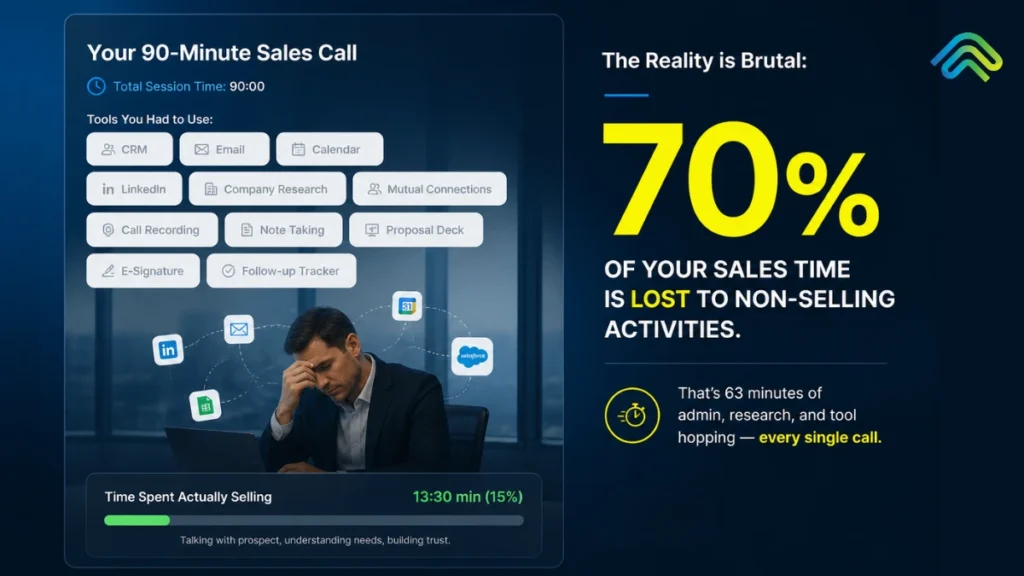
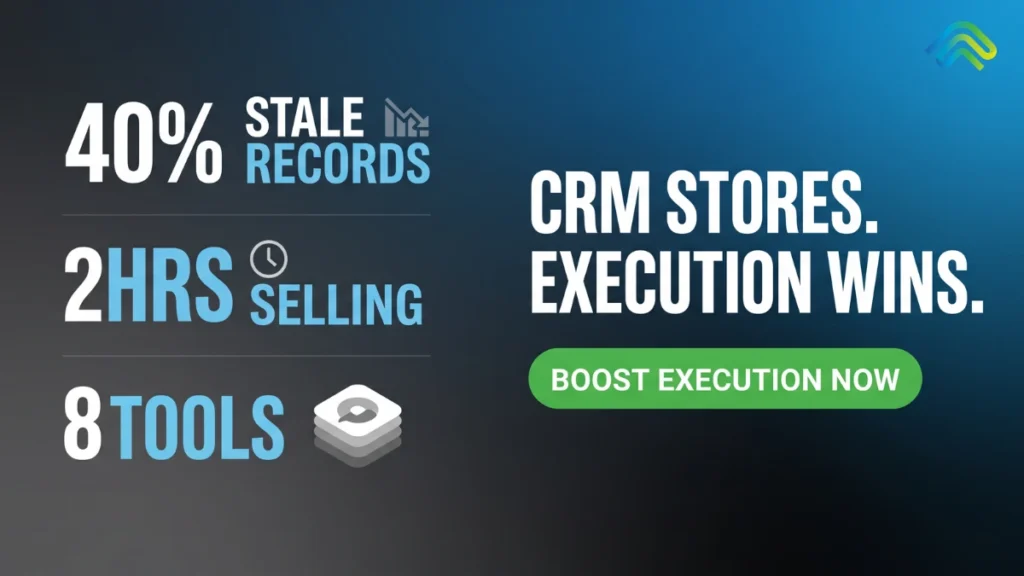
Your SDR has 11 tabs open: Salesforce, Outreach, LinkedIn Sales Navigator, ZoomInfo, Gong, Slack, Notion, Calendly, Salesloft, Apollo, and Chili Piper. They have been at their desk for 90 minutes. Total time spent actually selling: 14 minutes. This is not an edge case. It is the average workday for B2B sales reps in 2026. Salesforce’s State of Sales 2026 report found that reps spend only 30% of their week actually selling, with the rest consumed by admin work, data entry, and navigating platforms that were bought to speed things up. The average B2B sales team now uses 5 to 8 disconnected tools, while some enterprise teams run 12 or more.  Reps lose 2 or more hours every day just to context switching. Half of all sellers say they feel overwhelmed by the number of platforms required to do their job. And according to Gartner research, 30-50% of subscription costs are wasted on tools nobody actively uses. At SpurIQ, this post covers the following things: why tool sprawl got this bad, what it is actually costing your team, how to consolidate without breaking deals or losing capability, and the consolidation framework that works in 2026. What is Tool Sprawl? Tool sprawl is the excessive accumulation of disconnected software tools that create more friction than value, slowing down workflows instead of improving productivity. It is a system failure, not a headcount problem. It occurs when a sales tech stack grows without architectural intent, resulting in redundant data flows, broken handoffs, and integration debt that compounds with every new addition. When the cost of maintaining tool interoperability exceeds the value each tool contributes, the stack stops being an enabler and becomes operational overhead.  Furthermore, it is also worth separating tool sprawl from healthy stack growth. A team running five well-integrated tools with clean handoffs will outperform a team on three tools that cannot talk to each other. The number is not the issue. The architecture is. In 2020, the average B2B sales team ran on three or four tools. By 2026, that number has climbed to five to eight active tools for most teams, with enterprise orgs regularly peaking at twelve or more. The math compounds fast. Why did it happen? Every new pain point triggered a new vendor purchase. Outbound lagging? Add an intent data tool. Call quality low? Add a conversation intelligence platform. Pipeline visibility off? Add a forecasting layer. Nobody owned the stack as a whole, and slowly, one purchase at a time, teams built themselves into the mess they are now trying to get out of. According to Salesforce’s State of Sales report, 84% of sales teams without a consolidated platform are already planning to address their tech stack in the coming year, and 42% of reps say they feel overwhelmed by the number of tools required to do their job. That is not a technology problem. That is an architecture problem hiding inside a technology budget. The 5 Hidden Costs of Tool Sprawl  Most RevOps leaders can feel these costs. Few have added them up. Here is what tool sprawl is actually taking from your team. Cost 1: Lost Selling Time  As per SpurIQ research, reps spend roughly 70% of their day on non-selling tasks, leaving less than 30% for actual selling. That translates to about two hours of selling per day, with admin alone consuming roughly one of those hours. A mid-market AE can burn 45 minutes every morning just reconstructing yesterday across Gong, Outreach, Salesforce, and Apollo before typing a single word to a prospect. Cost 2: Data Silos  Customer data sits fragmented across five to eight disconnected systems with no real-time sync. The CRM does not see what Outreach sees. “Outreach” does not see what “Gong” heard. The manager sees nothing in real time.  According to Gartner, 49% of CSOs say their definition of a qualified lead differs greatly from marketing’s. That is not a strategy problem. That is a data problem.  Cost 3: Subscription Bloat  30% to 50% percent of tool spend is wasted on unused or duplicate-function tools. The average sales team is quietly carrying 2 to 3 ghost subscriptions, paying for tools no one actively uses. Those subscriptions accumulate silently, auto-renewing every quarter with no one watching the utilisation data.  One $4M ARR company found four overlapping enrichment tools running simultaneously, three of them at below 20% usage. According to Gartner, organisations that actively audit and optimise licenses cut software costs by 30% on average within the first year. Cost 4: Adoption Decay  Reps avoid tools they do not need to use, and the pattern is consistent: adoption rates for non-CRM tools routinely fall to 30 to 50% within six months of rollout. The rep stops logging in. The invoice does not stop arriving.  According to Salesforce’s 40 Sales Statistics 2026, 42% of reps already report feeling overwhelmed by too many tools, which means the new platform you rolled out last quarter is likely already on its way to becoming shelfware. Cost 5: Burnout and Quota Risk  According to our survey, 50% of sellers feel overwhelmed by tool count, and that overwhelm has a direct cost: overloaded reps are 45% less likely to hit quota.  Why Most Consolidation Advice Fails Most guides about tool sprawl tell you to rip out your stack and replace it with something cleaner. Buy the all-in-one. Standardise on one platform and shut everything else down. Problem solved. Except for one thing – it does not work. Here is why: Failure Mode 1: The All-in-One Trap Big platforms promise to do everything. And they do. Just not particularly well. For examples; HubSpot is a great marketing tool and a decent CRM. It is not a best-in-class sequencer. Salesforce is the system of record for most enterprise teams. It is not where your reps want to live their day. When you consolidate onto an all-in-one, you trade tool sprawl for capability gaps. Your team goes from too many mediocre handoffs to one platform that does most things adequately

Common CRM Problems
Revenue Operations, AI Strategy

The Death of Legacy CRM: Why Salesforce and HubSpot Are Losing the Revenue Execution War

“In the next era of B2B, the winners won’t be the ones with the best database, but the ones with the best process for acting on that database.”                                                              ~ Aaron Ross (Author of Predictable Revenue) A trader once said, “You can have all the ships, the maps, and the cargo. If you never sail, the port stays empty.” Today, the same story is playing out inside every B2B revenue team.  Revenue leaders are finally starting to admit a truth that has been whispered in boardrooms for years: their CRM is the most expensive address book in the company. B2B teams spend millions of dollars every year on Salesforce and HubSpot, yet an estimated 20 to 30% of potential revenue still leaks after the first buyer interaction. The tools are not broken. The problem is that they were never built for what matters most: execution. CRM systems were designed to record relationships, log calls, and track deals. In 2026, deals are not lost because of missing data. They are lost because no one acted on the data that was already there. People had notes, timelines, and contact history. They just never turned that information into timely, coordinated actions. This signals a massive shift in the market. CRM is not necessarily dying; it has evolved. The real power in the tech stack is moving to the Execution Layer that sits above the database. Legacy CRMs are losing the war because they are trying to solve an execution problem with a storage solution. How Salesforce and HubSpot Became the Center of Every Sales Org (And Why That Era Is Over) Twenty years ago, customer data lived in a hundred places: spreadsheets, email threads, sticky notes, and hazy memory. Then Salesforce came along and said, ‘’Put it all in one place.’’ Slowly but surely, it became the default system that every serious sales organization was expected to run on. The promise was to give every rep a single source of truth, and your team would finally see the whole pipeline, not just a fragmented view.  HubSpot followed a similar path but with a different mission. While Salesforce leaned into the enterprise, HubSpot focused on SMBs and marketers. It offered a free CRM as a gateway to its marketing‑first stack, then built workflows that let growing teams track leads, touch points, and revenue in one interface. Within a few years, what started as a marketing tool quietly became a core CRM for thousands of companies. At first, this was a clear win. Centralized data helped leaders see pipelines, forecast revenue, and measure performance in ways that simply weren’t possible before. But somewhere along the way, the magic faded. What was built as a system of action turned into a system of record: a place reps updated because leadership demanded it, not because it helped them close. The very thing meant to drive revenue became the chore no one wanted to do. One revenue‑focused discussion put it clearly: “The CRM is not broken; your process is. You built a system to track leads, but you never built a system to follow up on them.” In that gap, the problems of CRM deepen: incomplete entries, missing context, and forecasts that feel like hopeful guesses rather than grounded predictions. That’s the quiet reality of the Salesforce‑and‑HubSpot era. They succeeded in becoming the center of the sales org, and in doing so, they also became the center of friction. What started as a solution to the common CRM problems of the early 2000s, over time, has become a legacy CRM that is no longer enough for the execution-first world of 2026. That’s how the era where CRM was the undisputed center is ending! The power is shifting now.  5 Core Reasons Why Businesses Are Leaving Legacy CRMs in 2026 In the early days of enterprise software, management thinker Peter Drucker said, “You can’t manage what you can’t measure.” For decades, CRM systems have given teams the ability to measure. However, the 2026 update is that you can’t execute what you don’t automate.  That’s because businesses are realizing that knowing where every lead sits is no longer enough. Visibility isn’t the real challenge; it’s turning that visibility into coordinated and timely action. Legacy CRM systems were built to answer the question “What happened?” But B2B revenue teams are asking a new question: “What should happen next, and who is responsible for it?” Simply put, legacy CRM systems are not dying because they are broken. They are being replaced because they were built for a world that no longer exists. As B2B selling becomes more complex, distributed, and signal-driven, the old playbook starts to crack. Here are five reasons teams are quietly moving away from Salesforce and HubSpot as their revenue core: Failure 1: Data Graveyards, Not Decision Engines Legacy CRMs are fantastic at collecting data. They log calls, store notes, track stages, and centralize customer history. But they rarely turn that data into decisions. In practice, this looks like a rep opening a spreadsheet every morning and sorting leads by hand because the CRM doesn’t surface what really matters. Here’s how that gap usually shows up: Case Studies in the AI‑CRM space show that modern systems that surface intent signals can cut rep analysis time by 50–60% compared to traditional CRM‑only workflows. As a Revenue Ops podcast host once put it, ‘You’re not paying for data. You’re paying for the ability to act on it. If your CRM doesn’t tell you what to do next, it’s a data graveyard, not a decision engine.’ This is one of the biggest problems with CRM: rich data, weak action.  Failure 2: Manual Hygiene Dependency The quality of your CRM data rests almost entirely on your reps tying the right fields at the right time. That’s a tough bet. CRM deployment landscapes suggest that 40-60% of CRM records are incomplete or stale at any given time. Meaning that, half of your pipeline, give or take, is built on guesswork, not facts. And, forecasts based

Buying Signals vs Intent Data
Revenue Operations, AI Strategy

Buying Signals vs Intent Data: What Actually Triggers a Sale in 2026

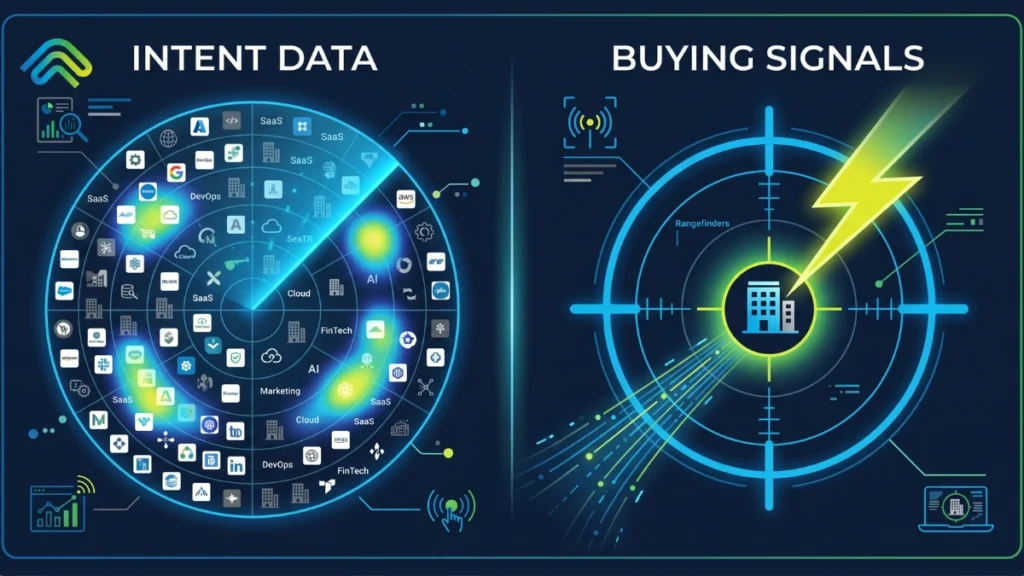
Most sales leaders have everything in line: Bombora for intent; ZoomInfo for contact information; a CRM system full of behavioral data. And still, the pipeline is empty. If you look closely, most sales reps are cold-calling accounts that haven’t responded in 3 months. Simply, the timing of the outreach is just wrong! Even after having all essential and relevant data – what’s the result? Missed quarters. Longer sales cycles. Reps are burning out on effort that never converts. The problem is not a shortage of data. The problem is that most B2B sales teams treat buying signal and intent data as interchangeable. But, they are not. One tells you where to look. The other tells you when to move. Confuse between these two, and it is impacting your overall quarter sales. You are guessing in a well-dressed spreadsheet (in the era of Artificial Intelligence).  While you can efficiently use buying signals and intent data together to increase your overall revenue. This guide draws a clean line between the two and shows how modern B2B revenue teams are using them together to build a faster, more predictable pipeline in 2026. What are Buying Signals in Sales?  A buying signal is a real, measurable action or behavioral shift in a target account that indicates a prospect may be moving toward a purchase decision. To understand what makes these signals valuable, it helps to look at the level of certainty they provide. The key idea here is clarity. A buying signal is not a hunch or an account simply “looking active.” It is a concrete event that has already happened.  For example, a decision-maker visiting your pricing page multiple times, a company announcing a new funding round, or a new VP of Sales joining and likely re-evaluating tools. These signals indicate that priorities are shifting and a buying window may have just opened. For a seller who is paying attention, this creates a clear and time-sensitive opportunity to act. What is B2B Intent Data in Sales?  B2B intent data is behavioral information collected about companies based on their online research activity. It captures the digital trail a business leaves behind when employees research topics, compare vendors, read review content, or consume educational material related to your product category.  There are two types worth knowing:  1. First-Party Intent Data  First-party intent data is generated from your own digital properties. It is reliable because it reflects direct interaction with your brand. You own it, you can act on it immediately, and there is no middleman interpreting it for you.  Common first-party signal sources include: 2. Third-Party Intent Data  Third-party intent data is aggregated from external sources that track which companies are engaging with relevant topics across thousands of properties. When a cluster of employees at a target account starts consuming content around “sales automation” or “CRM integration,” that creates a third-party intent surge worth paying attention to.  Some of the most significant third-party signal sources include: The Leading Intent Data Vendors  When evaluating the best intent data providers, most B2B teams rely on a mix of trusted platforms. The honest limitation of intent data:  It is probabilistic. It tells you someone at a company has been researching a topic. It does not tell you who, what their budget looks like, whether they hold any authority, or how close they are to a decision. That gap is exactly where buying signals become essential.  What is the Difference Between Buying Signal and Intent Data?  Intent data tells you who might be interested. On the other hand, buying signals tell you what just happened and why you should be on the phone right now. Intent data is probabilistic. It is built from patterns of content consumption across publisher networks, review sites, and third-party content hubs. It flags that something might be happening within an organization, but it does not confirm that a decision has been made, a budget has been approved, or that the person conducting the research has any buying authority.  On the other hand, buying signals are deterministic. A new VP of Sales joining, a funding round closing, and a competitor’s contract lapsing. These are facts, not patterns. They tell you a window just opened, and that window closes fast. Research shows that vendors who reach out to a newly funded company within 48 hours see conversion rates four times higher than those who wait. There is also a critical identity gap most teams ignore.  Intent data tells you the company, not the person. A topic surge at a 2,000-person enterprise confirms that someone inside is researching your category, but it stops there. You do not know if it is the CFO evaluating a budget shift or an intern writing a market report.  Buying signals cut through that ambiguity. A named decision-maker visiting your pricing page three times this week is not a pattern. It is a person with a clear intent you can act on today. The table below draws the line: Factor Buying Signals Intent Data Nature Deterministic: something happened Probabilistic: something might be happening Buyer Stage Mid-to-late funnel Early funnel Actionability Act within hours Needs scoring and interpretation first Identity Contact or company-specific Account-level, often anonymous Risk if Used Alone Misses the early pipeline Creates noise; many accounts are not ready But here is what most comparison guides miss: neither intent data nor buying signals create revenue on their own. They create opportunity. What happens in the next 15 minutes decides whether that opportunity becomes a pipeline or leaks. So, you must be quick with your execution to actually move forward the revenue. Why Buying Signals Matter to Modern B2B GTM Teams  Here is a hard truth most sales leaders already feel but rarely say out loud: by the time a prospect fills out your demo form, you are probably already too late. Gartner research confirms that B2B buyers spend only 17 percent of their total buying time in direct contact with potential vendors, meaning 80 percent of the journey happens entirely

lead response time
Revenue Operations, AI Strategy

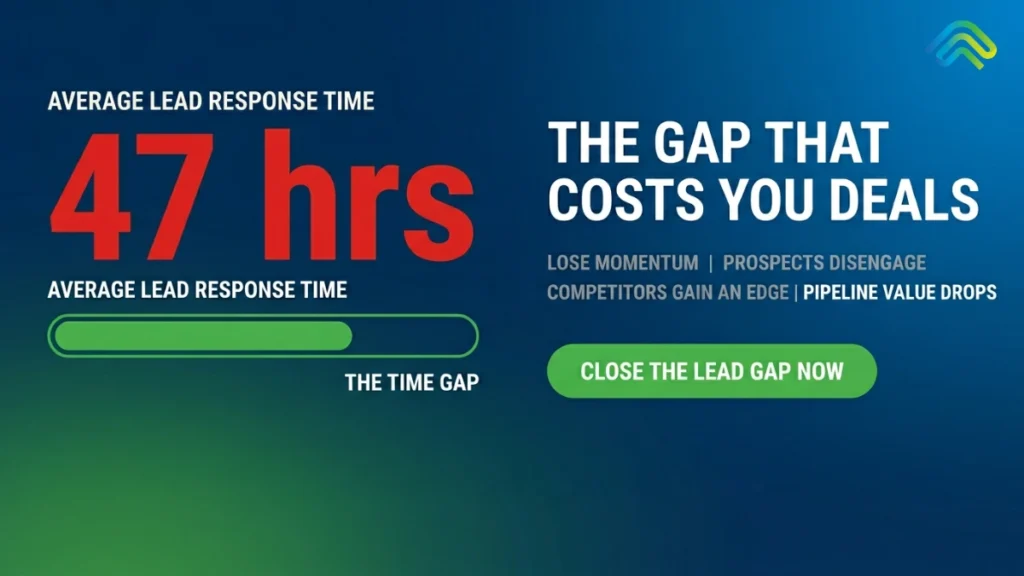
Speed-to-Lead in 2026: Why Response Time Still Wins (And How AI Fixes It)

Speed-to-lead in 2026 is still the simplest and most overlooked predictor of revenue performance. It’s Monday morning. You sit down with your coffee, log into your CRM, and see the damage: there are 47 demo requests from the weekend sitting untouched. The oldest one came in on Friday evening. It was a VP of Operations filling out your high-intent form while actively comparing three different vendors. That was 63 hours ago. By the time your SDR sends the first “Just following up” email, she’s already taken two meetings and signed a contract with a competitor. Everyone in B2B sales knows that speed-to-lead matters. It is not a new concept. The data proving that faster response times equal higher conversion rates has been consistent for more than 15 years. And yet, the reality on the ground is astonishing: the average B2B lead response time is still 47 hours, according to the Optifai 2026 Pipeline Study. Only 23% of companies manage to respond within 5 minutes, while a staggering 63% never respond to an inbound lead at all. In this guide, we are going to break down exactly what is happening. We will share the 2026 data that proves why response time still dictates who wins the deal. We will unpack the structural, systemic reasons most revenue teams fail at this despite knowing better. Finally, we will show you how AI-driven revenue execution finally fixes this gap – not by hiring a massive army of new SDRs, but by fundamentally owning the signal-to-action moment. What Is Speed-to-Lead? (And What It Really Measures) If you ask ten sales leaders, “What exactly does ‘speed to lead’ mean?”, you might get ten slightly different answers. Let’s define it in plain, operational language. Speed-to-lead is the exact measurement of time between a prospect submitting an lead form (such as a demo request, a contact form, a pricing enquiry, or a chat initiation) and the moment your sales team makes their first deliberate contact with that prospect by phone, email, or direct messaging. To build a system that works, it is crucial to distinguish speed-to-lead from other related metrics that often get incorrectly lumped together: Most importantly, you have to understand what speed-to-lead actually measures. It does not measure how fast an individual human can type an email. It measures execution discipline. If you achieve a 5-minute response time, it means your entire pipeline machinery – the form submission, the routing logic, the data enrichment, the rep notification, the rep availability, and the first dial – worked flawlessly end-to-end in under 300 seconds. A 47-hour response time means that pipeline broke somewhere along the way, or most likely multiple times. The 2026 Speed-to-Lead Statistics That Should Terrify You If you think your team is immune to the speed-to-lead problem, the industry benchmarks tell a different story. The data for 2026 is unambiguous. When we look at speed to lead statistics, they group naturally into three terrifying narratives: how teams actually perform, what that performance costs in revenue, and what modern buyers expect. The Performance Gap: What Teams Actually Deliver We have more sales technology than ever before, yet our baseline execution remains shockingly slow. The Revenue Impact: What Speed-to-Lead Is Actually Worth  Every minute a lead sits in a queue, the probability of closing that deal plummets. How does speed to lead impact revenue generation? The Expectation Gap: What Buyers Now Demand The consumerization of B2B is complete. Buyers no longer tolerate the “we will get back to you in 1-2 business days” auto-responder. Why Most Teams Fail – And Why It’s Structural, Not Motivational When leaders see the data above, the initial reaction is usually to call a high-urgency sales meeting, yell at the SDR team, and demand they move faster. But this is the wrong approach. The failure is not motivational; it is entirely structural. Speed-to-lead can’t be fixed with a pep talk. To understand why deals decay in a B2B pipeline, we have to look at the five structural failure modes of modern sales environments. Failure Mode 1: Reps Don’t Have 5 Minutes The modern SDR is drowning in administrative tasks. Studies show that SDRs spend only 30% of their actual workday on active selling. The other 70% goes to manual CRM updates, internal meetings, account research, and inbox management. Even the most highly motivated rep cannot physically respond to an inbound demo request in 5 minutes if they are buried inside Salesforce, manually logging detailed notes from their previous discovery call. Speed-to-lead isn’t failing because your reps don’t care. It’s failing because the system they work inside is not built for speed. Failure Mode 2: Routing Logic Breaks When a lead arrives, a massive amount of invisible logic has to execute perfectly. The lead needs to be enriched with external data, scored for qualification, assigned to the correct geographic or vertical territory, and finally routed to a rep who is actually online and available. If even one step breaks – perhaps a routing rule relies on stale territory logic, or the assigned rep is out sick, or an enrichment API times out – the lead drops into a holding queue. Companies with a rigorously defined SLA respond within 15 minutes at nearly double the rate of those without (54.9% vs 29.5%, Blazeo 2026). But in most companies, these SLAs exist on a PDF, not in the actual routing infrastructure. Failure Mode 3: Data Quality Kills Speed Imagine achieving a 3-minute response time, only to dial a disconnected phone number and send an email that hard-bounces. A 5-minute response to a bad record is a 5-minute response to nobody. Currently, 20–35% of B2B contact records contain outdated or entirely incorrect information. Every time a rep rushes to follow up on a bad record, it burns their time and their motivation. Consequently, the next lead in the queue gets less energy and urgency than the last. Fast execution on terrible data is not a strategy. Failure Mode 4: After-Hours and Weekends As noted in

AI sales agents
AI Strategy, Revenue Operations

AI Sales Agents Explained: What They Are, How They Work, and What’s Missing

Every GTM team right now is being sold an AI sales agent, yet the category remains a complete mess. If you lead a revenue organization, your inbox is likely overflowing with pitches for these tools. Between 2025 and 2026 alone, hundreds of new AI sales agents flooded the market, each promising to automate your pipeline, scale your outreach, or magically double your revenue. If you lead a revenue organization, your inbox is likely overflowing with vendor pitches. Gartner predicts that by 2028, a third of all enterprise AI interactions will use autonomous agents rather than simple chat interfaces. Because of this massive shift, between 2025 and 2026 alone, hundreds of new AI sales agents flooded the market. The result? GTM teams are drowning in point solutions that generate endless activity but fail to move the needle on actual revenue. We are being sold a vision of autonomous growth, but the reality on the sales floor is often just more dashboard fatigue, siloed data, and unexecuted tasks. This guide provides a clear, hype-free definition of what an AI sales agent actually is, how it operates beneath the hood, and – most importantly – what the vast majority of these tools get fundamentally wrong. We will break down the mechanics of these systems and reveal why generating activity is not the same as executing revenue. By the end, you’ll understand why the future of B2B sales doesn’t rely on adding more noise to your tech stack, but on closing the gap between a buying signal and a completed action. What is an AI Sales Agent? AI Sales agent is a software system that autonomously performs multi-step sales tasks – such as account research, outreach drafting, lead qualification, CRM updates, and risk detection – using a combination of Large Language Models (LLMs), real-time data signals, and complex workflow logic. Unlike traditional sales software, which simply stores data until a human acts on it, a true sales AI agent is capable of reasoning, decision-making, and execution. It doesn’t just hold the list; it works the list. However, the market is rife with mislabeled tools. To cut through the noise, GTM leaders need to understand the distinct differences between an AI sales agent and legacy or adjacent technologies: How AI Sales Agents Work? The GTM agent role in AI sales is fundamentally about processing information and turning it into momentum. To do this, data-driven AI agents in B2B sales explained, operate across a five-stage loop: Step 1: Capture Signals  The process begins with listening. The agent ingests data from across your ecosystem. These signals can be explicit (a prospect filling out a demo request) or implicit (a target account showing high intent on third-party sites, a champion changing jobs, or a stalled deal sitting in a specific CRM stage for too long). This includes intent data, product usage metrics, CRM events, email/calendar activity, and contact enrichment feeds. Step 2: Assess Context  A raw signal is useless without context. In this stage, the agent stitches disparate signals together to form a cohesive, account-level or deal-level picture. If an intent tool flags a company, the agent cross-references your CRM to see if there is an active opportunity, checks past closed-lost notes, and maps the current buying committee. It builds the “why” behind the interaction. Step 3: Decision Making Armed with context, the agent uses its LLM reasoning capabilities to determine the next best action. You will understand whom you should reach out to, what channels you should use, what messaging framework best aligns with your customer’s specific pain-points, and the most optimal time to engage with your potential customers.  Step 4: Action / Execution This is where the rubber meets the road. The agent executes the decision – drafting the hyper-personalized email, sending the LinkedIn connection request, updating the CRM fields, or routing the highly qualified lead to the appropriate Account Executive. Step 5: Learning Loop Finally, the agent measures the outcome of its actions. Did the email bounce? Did the prospect reply? Did the deal advance to the next stage? The system ingests this feedback to refine its future targeting, messaging, and timing. The Crucial Flaw: While this five-step loop looks perfect on paper, it represents a massive signal-to-action gap in reality. Most tools handle steps 1 through 3 perfectly. They capture signals, assemble context, and make brilliant decisions. But they stop short at step 4. They recommend actions to reps rather than executing them. They handle step 5 barely at all. As we’ll explore later, this failure to execute is where revenue teams are losing the most money. The Main Types of AI Sales Agents There are mainly five types of AI sales agents: Prospecting or Research agents, Outbound Outreach Agents, Conversational/Voice agents, Deal Execution Agents, and RevOps/Orchestration Agents. These AI agents for sales and marketing are categorized by specialized functions and deployed across the revenue lifecycle. Sales AI Agent Types What It Does Typical Use Case Prospecting / Research Agents These agents search the web and your databases to build targeted account lists, enrich contact details, and flag real-time buying signals. Sales teams use them for top-of-funnel targeting and expanding their Total Addressable Market (TAM). Outbound Outreach Agents These agents use account research to automatically draft and send highly personalized emails and LinkedIn messages. Teams use them to automate SDR workflows and scale their outbound pipeline creation. Conversational / Voice Agents These agents handle live conversations by making outbound calls or answering inbound dials to qualify leads. They are ideal for managing off-hours routing and automating outbound sales calls for lead qualification. Deal Execution Agents These agents monitor active deals, draft follow-up emails, update CRM fields, and alert managers about stalled opportunities. Sales leaders deploy them to boost AE productivity, keep forecasts clean, and enforce sales methodologies. RevOps / Orchestration Agents These agents act as the connective tissue for your tech stack by routing data between tools and enforcing workflow rules. RevOps teams rely on these AI agents to streamline sales pipeline management

Buying Signals
AI Strategy, Thought Leadership

B2B Buying Signals: How to Detect, Prioritize, and Act Before the Window Closes

You know a deal is somewhere in your pipeline, but you’re not sure who’s ready, what triggered their interest, or when to reach out. Signals are everywhere, from website visits and content downloads to pricing page views. But without timely action, they lose value quickly.  This is where most revenue quietly slips away. Not because of a lack of data, but because of a lack of execution. The challenge is that today’s buyers don’t announce their intent. They research quietly, compare vendors, and build shortlists before ever speaking to sales. According to a CEB study published in Harvard Business Review, B2B buyers complete nearly 60% of their purchase decision before speaking to a supplier. This clearly shows that success is not just about identifying signals. It depends on how quickly and effectively teams act on them. In this guide, we’ll explore how to detect, prioritize, and act on buying signals in B2B so you can engage prospects at the right time and improve your chances of conversion.   Let’s move to the key concepts.  What are Buying Signals? Buying signals are observable actions or events that indicate a prospect is entering or progressing through a buying decision window. If you’re wondering what are customers buying signals, they are essentially the digital breadcrumbs left behind during the buyer journey. In simple terms, they are behavioral traces that reveal intent before a buyer ever speaks to sales. Understanding what are buying signals helps teams move from guesswork to precision. A key distinction must be made here: Recognising buying signals is not about tracking activity alone – it is about understanding context and intent. Two Broad Categories of Buying Signals: 1. Explicit Buying Signals Explicit buying signals are direct indicators of purchase intent, which may be as follows:  These signals are high intent but usually late-stage buying signals in sales processes. 2. Implicit Buying Signals These are behavioral or contextual indicators that suggest early or mid-stage intent: These signals are subtle but often more valuable when detected early, especially when recognising buying signals before competitors do. Moreover, you can go through the table below to better understand the type of signals and their intensity.  Signal Type Source Example Strength First-Party Your website Pricing page visited 3 times in a week by 2 stakeholders High First-Party Content engagement Case study + ROI calculator downloaded in one session Medium-High Third-Party Intent data providers Topic surge on “CRM migration.” Medium Third-Party Public data Funding round + sales hiring spike Medium-High The key takeaway is simple: B2B buying signals are never just one-off events. They are patterns of intent across time, people, and context, often supported by layered buying signals data. Why Buying Signals Matter More in 2026 Than Ever Before? Buying signals matter more in 2026 because buyer behavior has changed significantly. Sales teams can no longer rely on late-stage interactions to identify intent. Instead, early signal detection has become essential to engage buyers at the right time. To understand why this shift has made buying signals so critical, let’s look at the key changes in how modern B2B buyers research and make decisions. Shift 1: Buyers Research Independently Before Speaking to Sales Buyers today are already well-informed before they contact any vendor. By the time sales enter, they already have: Why this matters: Since buyers research on their own long before reaching out, you should track engagement on key pages like blogs, service pages, case studies, and pricing pages. This helps you identify real interest before any sales conversation.  Responding to these signals quickly can help you stay ahead of competitors and improve your conversion rates, which is why identifying and analyzing buying signals at this stage is essential. Shift 2: Buying Committees Have Expanded Enterprise deals now involve multiple stakeholders, often 10 or more, each generating separate signals: Why this matters: To understand real deal progress, track signals from the entire buying committee, not just a single contact. Monitor their activity across product pages, downloads, and webinars to see who is engaged and who still needs attention.  This helps you act at the right time and move deals forward more effectively. Shift 3: Only a Small Portion of Your Market is Actively Buying B2B purchases are rarely spontaneous. According to Gartner, 99% of B2B purchases are triggered by specific organizational changes, meaning your buyers only enter the market when a particular internal event or shift creates the need. Most of your addressable market is simply not in a buying window at any given time. Why this matters: Mass outreach to accounts that are not yet triggered is largely wasted effort. Instead, track behavioral and firmographic signals to identify which accounts are showing signs of an active buying window right now.  Teams that focus on signal-based outreach consistently outperform those blasting generic messages across their entire list, because they are reaching the right people at the right moment with the right context. Focusing on the right accounts at the right moment is one of the highest-leverage moves a B2B revenue team can make. How to Identify Buying Signals: The Complete Framework? Here’s a complete framework for identifying buying signals across your business touchpoints. The 3-Layer Framework to Evaluate Buying Signals Here are three-layered frameworks to help you evaluate buying signals. Layer 1: Fit Signals Fit signals tell you whether a company is a good match for your product in the first place. They don’t indicate buying intent, but they help you determine whether the account is worth focusing on. Below are the mentioned signals.  Fit signals do not indicate intent. They indicate potential relevance. Layer 2: Opportunity Signals Opportunity signals indicate moments when a company is likely to have the budget, motivation, or internal pressure to make a purchase decision. These are external events that open a buying window, even if the prospect has not yet started actively researching. These signals often indicate budget availability or strategic readiness. Layer 3: Intent Signals Intent signals are the clearest sign that someone is actively researching and moving

AI SDR
AI Strategy, Thought Leadership

AI SDR and AI Outbound Agents: What They Actually Do, Where They Fail, and What Comes Next

Every AI SDR on the market makes the same promise: automate your outbound sales, send personalized messages at scale, qualify leads in real time, and book meetings while your team sleeps. And to be fair, many of them deliver on that promise. At least for the first touch. The problem is what happens after. An AI outbound agent can find the right buyer, craft a compelling cold email, and get a reply. But the moment that reply arrives, the moment a lead becomes a real opportunity, execution falls back on humans. CRM updates happen late, follow-ups get missed, buyer research doesn’t happen before calls, and deals that looked alive quietly decay in the pipeline. That gap between generating a lead and consistently executing every revenue action after it is not an SDR problem. It is an execution problem. And it is where most AI SDR tools stop and where revenue starts slipping. This guide covers what an AI SDR actually is, how AI outbound agents work, the real differences between AI and human SDRs, how to choose the right tool for your sales team, and why the smartest B2B teams in 2026 are pairing their AI SDR with a revenue execution layer that owns the follow-through. What Is an AI SDR? An AI SDR (artificial intelligence sales development representative) is software that uses AI to automate the tasks a human SDR would normally handle: prospecting, lead qualification, personalized outreach, cold email sequences, follow-ups, and meeting scheduling. Think of it as a virtual sales rep that operates around the clock, sending personalized messages based on buyer data without needing breaks, holidays, or ramp time. The core capability that separates an AI SDR from basic sales automation is intent. A traditional email sequencer sends email A on day one and email B on day three regardless of what the prospect does. An AI SDR reads signals in real time, a prospect visiting your pricing page, a company announcing funding, a decision-maker changing jobs and adjusts its messaging, timing, and channel based on what those signals mean. In practical terms, an AI SDR handles six core functions across the sales process: AI SDR vs Human SDR: An Honest Comparison The AI SDR versus human SDR debate has a clear answer: you need both, but for different reasons. AI outbound agents dominate on scale, consistency, and cost. A human SDR costs $75,000–$100,000 annually and typically generates 15–20 qualified opportunities per month. An AI SDR platform runs $500–$2,000 monthly and can produce 40–60 qualified opportunities at comparable quality. The economics are hard to argue with. But scale is only half the story. Here is where each excels: Capability AI SDR Human SDR Speed Responds to inbound leads within minutes, 24/7 Average response time is 48 hours; 73% of leads never get a first reply Personalization Data-driven; pulls context from intent signals, LinkedIn, and CRM Intuition-driven; reads cultural nuances, emotional cues, and unscripted situations Consistency Never misses a follow-up, never has an off day Variable; affected by fatigue, motivation, and competing priorities Relationship building Limited; handles early-stage outreach well but can’t build trust over complex deal cycles Excels; empathy, rapport, and judgement win complex B2B deals Cost $500–$2,000/month $75,000–$100,000/year plus benefits and ramp time Qualifying leads Instant scoring based on engagement and ICP fit Nuanced judgement on deal complexity, org dynamics, and buying committee alignment The smart play is not replacing your sales team with AI. It is using AI agents to handle the volume-heavy, repetitive work at the top of the funnel, prospecting, cold outreach, initial qualification and freeing your human reps to focus on relationship building, complex conversations, and closing. SaaStr reports the average SDR tenure is just 14 months, with 52% leaving within a year. Every time an SDR leaves, you lose 3–4 months of ramp time. An AI SDR eliminates that churn entirely. It does not get promoted, poached, or burned out. How AI Outbound Agents Actually Work? An AI outbound agent runs on a four-stage cycle that mirrors what a strong human SDR does, but at a speed and scale no human can match. Stage 1: Signal Detection and Targeting The agent monitors intent signals across multiple data sources: website visits, content downloads, job changes, funding announcements, tech stack changes, and social activity. When a signal fires that matches your ideal customer profile, the agent identifies the right contact and moves to outreach. This is the shift from volume-based cold outreach to signal-based selling. Instead of blasting 10,000 generic emails, the AI targets accounts that are already showing buying behaviour. Signal-based outbound campaigns consistently achieve 15–25% reply rates, compared to the 3–5% average for untargeted cold email. Stage 2: Research and Personalisation Once a target is identified, the agent enriches the contact with buyer intelligence: company context, recent news, tech stack, org chart, and any previous interactions logged in the CRM. This context powers genuinely personalised messages, not the “Hi {first_name}, I noticed your company {company_name}” template that everyone ignores. Stage 3: Multi-Channel Outreach The agent executes outreach across email, LinkedIn, and sometimes SMS or phone, adjusting channel, tone, and timing based on the prospect’s engagement pattern. Follow-ups are not time-based (“send email 2 on day 3”) but behaviour-based (“send a follow-up referencing the case study they clicked”). Stage 4: Qualification and Handoff When a prospect replies, the agent detects intent, interested, objecting, requesting information, or not a fit and responds accordingly. For qualified leads, the AI books meetings directly into rep calendars and syncs all context to the CRM so the rep walks into the call fully prepared. The Blind Spot Every AI SDR Shares Here is the part that none of the competitor blogs mention. Every AI SDR on the market is designed to generate pipeline. They find buyers, send personalized outreach, qualify leads, and book meetings. And they do it well. But what happens after the meeting is booked? After the discovery call? After the proposal is sent? The AI SDR hands the deal to a human

GTM engineering
Thought Leadership, AI Strategy

What Is GTM Engineering? The Role Redefining B2B Outbound in 2026

If you’ve been anywhere near B2B sales or marketing conversations lately, you’ve probably heard someone mention GTM engineering. Maybe it was a LinkedIn post about a “GTM engineer” replacing an entire SDR team. Maybe it was a job listing with a $135K median salary for a role that didn’t exist two years ago. Either way, the buzz is real. And it’s not just hype. GTM engineering is one of the fastest-growing disciplines in B2B revenue and for good reason. As customer acquisition costs climb (now roughly $2 in sales and marketing spend for every $1 of new ARR, a 14% increase since 2024), companies need a fundamentally different approach to building pipeline. This guide breaks down what GTM engineering actually is, why it emerged, how it works as a framework, the tools that power it, and, critically, where most GTM engineering setups still fall short on execution. What Is GTM Engineering? GTM engineering is the practice of designing, building, and maintaining automated systems that power B2B revenue operations. Instead of relying on manual sales outreach and disconnected marketing tools, GTM engineers create integrated workflows that connect data enrichment, lead scoring, CRM management, intent signals, and outbound sequences into a single, automated revenue engine. Think of it this way: if your go-to-market strategy is the what and why, GTM engineering is the how, the technical infrastructure that turns strategy into repeatable, scalable execution. The role sits at the intersection of sales, marketing, and engineering. A GTM engineer doesn’t just operate existing tools. They build the connective tissue between them, stitching together APIs, configuring automation workflows, setting up signal-based triggers, and designing data pipelines so that the right action reaches the right buyer at the right time. GTM Engineering in a Nutshell Aspect Description Definition The technical discipline of building automated systems that power B2B revenue operations Core Function Connects data, tools, and workflows into a unified pipeline generation engine Key Shift Moves outbound from volume-based (blast and pray) to signal-based (detect and act) Who Does It GTM engineers — a hybrid of RevOps, sales engineering, and data engineering Why Now Rising CAC, tool sprawl, and AI maturity make manual GTM unsustainable Why Did GTM Engineering Emerge? GTM engineering didn’t appear out of thin air. It emerged around 2024 as a response to three converging pressures that made traditional outbound models increasingly unsustainable. 1. Customer Acquisition Costs Are Rising Fast According to the 2025 Benchmarkit report, the blended customer acquisition cost (CAC) ratio is now 10% higher than in 2022. Companies are spending more to acquire each dollar of revenue, and simply adding more SDRs to the headcount doesn’t scale the way it once did. The math is clear: one strong GTM engineer who builds workflows that dozens of reps can leverage produces better ROI than hiring five additional SDRs to manually prospect from static lists. 2. Tool Sprawl Has Created Fragmentation The average B2B sales team now uses more than 10 different tools daily. Intent data flows in from one platform, enrichment happens in another, CRM sits separately, and outbound sequences run in yet another tool. The result is fragmented workflows, duplicated data, and reps who spend more time context-switching between tabs than actually selling. Research consistently shows that sales reps spend approximately 70% of their week on non-selling activities, admin tasks, data entry, research, and tool management. GTM engineering addresses this by creating a unified system where data flows automatically between tools, eliminating the manual glue work that eats up selling time. 3. Buyers Have Changed Over 80% of B2B buyers finalise mid-market purchasing decisions within six months, often without ever contacting a vendor directly. By the time a sales rep gets involved, the buyer has already done extensive independent research. This means outbound needs to be timely, contextual, and triggered by actual buying signals, not blasted from a static list. GTM engineering makes this possible by detecting intent signals (website visits, content downloads, job changes, funding announcements) and automatically routing them to the right action at the right time. What Does a GTM Engineer Actually Do? A GTM engineer’s day-to-day responsibilities vary depending on the company’s maturity, but the core work falls across six stages of what’s often called the GTM engineering framework. Here are the 6 stages GTM Engineering Framework: Stage 1: Data Enrichment Building and maintaining the data layer that powers everything else. This includes setting up enrichment pipelines using tools like Clay, Apollo, or ZoomInfo to automatically pull firmographic, technographic, and contact data into the CRM. Without clean, enriched data, everything downstream breaks. Stage 2: Signal Detection Configuring systems that monitor buyer intent signals, website visits, pricing page activity, content engagement, job changes, funding rounds, tech stack changes. The goal is to identify accounts showing active buying behaviour before a competitor does. Stage 3: Lead Scoring and Prioritisation Building scoring models that move beyond static firmographic rules. Modern GTM engineers use a combination of intent signals, engagement data, and contextual factors to dynamically rank which accounts deserve immediate attention. Stage 4: Workflow Automation Designing the automated workflows that connect signals to actions. When an account hits a threshold score, the system automatically triggers the right response, whether that’s adding the account to an outbound sequence, alerting a rep, or enriching the contact with additional buyer research. Stage 5: Outbound Execution Building multi-channel outbound sequences (email, LinkedIn, phone) that are triggered by signals rather than calendars. The personalisation layer is critical here, sequences pull enriched data to customise messaging at scale without losing relevance. Stage 6: Measurement and Optimisation Tracking the metrics that actually matter: meetings booked, pipeline generated, conversion rates by signal type, and cost per qualified meeting. GTM engineers run this as an iterative engineering loop, testing, measuring, and optimising continuously. GTM Engineering vs RevOps: What’s the Difference? This is one of the most common questions in the space, and the distinction matters. RevOps manages and optimises existing tools and processes. RevOps professionals maintain CRM hygiene, build reporting dashboards, manage sales territories, and ensure

who owns revenue execution
Thought Leadership, AI Strategy

Who Owns Revenue Execution Inside Your GTM Org And Why the Answer Is Costing You Pipeline

Who owns revenue execution in a B2B organization? In most companies, no one does, not explicitly, not systematically, not in a way that survives a missed quota conversation. Marketing claims the top of the funnel. Sales owns active deals. RevOps architects the CRM. Customer Success monitors retention signals. Each function holds a slice of the buyer journey, but no single team owns the real-time, systematic act of converting buying signals into immediate, accountable action. This structural fragmentation is the RevOps accountability gap, the gray zone between knowing what needs to happen and guaranteeing it does. Closing it requires more than a cleaner RACI chart or a tighter SLA policy. It requires a dedicated revenue execution layer: a system that assigns ownership at the signal level, enforces deadlines and escalates when nothing happens. Without it, B2B revenue accountability remains theoretical and revenue leakage accountability sits with everyone and no one at the same time. Walk Into Any Boardroom and Ask This Question “Who actually owns the execution of our revenue strategy?” You’ll get a confident, entirely fragmented chorus. Marketing insists they own top-of-funnel leads. Sales grabs the steering wheel for active deals. RevOps proudly points to the CRM architecture. Customer Success pulls up their health scores. On paper, everyone owns revenue execution. In practice? Nobody does. This is not a people problem or a motivation problem. It is a structural failure baked into how modern B2B GTM organizations are designed and it is the primary driver of revenue leakage that dashboards can see but cannot fix. Revenue execution ownership in B2B is not just the act of selling. It is the real-time, systematic habit of turning buying signals into immediate, assigned, time-bound action. When execution ownership in GTM gets divided across departments without a unified layer enforcing it, critical signals fall through the cracks at the exact moments they matter most. “In most B2B orgs, revenue execution is owned by everyone on paper and no one in practice.” — SpurIQ How the Modern GTM Org Distributes and Drops Revenue Execution Ownership? Modern B2B companies are built on specialization. That specialization is a genuine strength, until it fragments execution ownership GTM into four separate functions with four separate mandates, none of which includes “make sure the signal gets acted on before the buyer moves on.” Here is exactly how revenue execution ownership in B2B gets fractured: Marketing owns the top of the funnel Demand gen teams grind for MQLs. They build the bridge to the buyer. Their mandate ends the moment the lead lands in the CRM. What happens to that signal in the next 48 hours is structurally not their problem and that gap is where revenue leakage accountability first goes missing. Sales owns the conversation AEs and SDRs own the pitch and the relationship. But they are human beings managing dozens of accounts simultaneously. Administrative follow-ups get deprioritized. Signals that should trigger immediate action sit unactioned in dashboards no one opened. The result is not a performance failure, it is an execution ownership GTM failure. RevOps owns the architecture They build the stadium and ensure the data flows cleanly. They do not play the game. Even the best RevOps teams ultimately flag “Stalled Deals” in a report and wait for a sales manager to ping a rep on Slack. This is the core of the RevOps accountability gap: RevOps designs the execution playbook; it does not and was never designed to, run it. Customer Success owns retention signals CS monitors product usage and NPS scores and knows when an account is trending toward churn. But they rarely own the automated commercial triggers that force timely intervention. By the time the data reaches someone who can act, the window has often closed. That is revenue leakage accountability failing at the bottom of the funnel. Every team handles execution incidentally. No team owns it explicitly. This is what we call The Execution Ownership Gap, the most expensive structural flaw in modern B2B revenue accountability. The Revenue Execution Ownership Breakdown by Role Role What They Own What They Drop Marketing Lead gen, MQL delivery, campaign ROI, messaging Post-handoff engagement, real-time SLA enforcement Sales Pitching, relationship building, closing, forecasting Signal tracking, CRM hygiene, systemic follow-ups RevOps Tooling architecture, data alignment, analytics Actual execution of the playbook, real-time prospect outreach Customer Success Onboarding, adoption, health scoring, QBRs Commercial triggers required to act on sudden churn signals This table is not an indictment of any of these functions. Each team is doing exactly what it was designed to do. The problem is that who owns revenue execution was never answered at the organizational design level. It was assumed to happen in the spaces between four well-resourced, well-intentioned teams. It doesn’t. The RevOps Accountability Gap: Why the Tragedy of the Commons Applies to Your Pipeline In economics, the “tragedy of the commons” describes what happens when a shared resource is managed by everyone collectively and owned by no one specifically, it gets depleted. In the B2B GTM org, your buyer’s journey is that shared resource. Because every team touches the buyer’s journey, every team assumes some other team is handling the granular follow-up. This is the RevOps accountability gap made structural: the bystander effect applied to B2B revenue accountability. The more people who can see a problem on a shared dashboard, the less any individual feels personally responsible for solving it. The result is The Execution Ownership Gap: strategy is solid, data is present, tooling is expensive and the physical act of moving a deal forward dissolves in the ether between four capable, well-intentioned teams. For a deeper look at how this plays out at the signal level, see our analysis of the Signal-to-Action Gap in modern GTM stacks. The 3 Places Revenue Leakage Accountability Goes Missing in B2B Orgs Revenue leakage accountability doesn’t fail randomly. It fails at three predictable, structural handoff points, the same three points in virtually every B2B org, regardless of headcount, tech stack, or how well-defined the process looks on paper.

revenue dashboards dont fix revenue
Thought Leadership, AI Strategy

Why Dashboards Expose Problems but Don’t Fix Revenue

“The most dangerous dashboard is the accurate one that no one acts on. “Your Revenue Dashboard Isn’t Broken. That’s Exactly the Problem. There is a ghost that haunts the mahogany-row boardrooms of the Fortune 500 during every quarterly business review. Revenue leaders call it the Perfectly Accurate Disaster. Picture it: the BI team presents gleaming, real-time Tableau or PowerBI dashboards. The data is indisputable. It shows a 15% slippage in mid-market deal velocity, a stale pipeline in the EMEA region, and a rising tide of “no-decision” losses at the final stage. The dashboard is functioning with surgical precision, showing you exactly how, where, and why you are going to miss your year-end number. Three weeks later, nothing has changed. This is the central paradox every VP of Sales and CRO is living with right now: revenue dashboards don’t fix revenue. Perfect visibility does not produce corrective action. We have spent the last decade and billions in venture capital perfecting “Revenue Intelligence,” yet according to Gartner, a staggering number of B2B sales organizations still miss quota, not from a lack of data, but from an inability to act on it with speed and accountability.The hard truth most management consultants won’t say out loud: dashboards are diagnostic tools, not corrective systems. A thermometer tells you that you have a fever. It cannot synthesize penicillin. If your organization is relying on a dashboard to fix revenue, you are watching a GPS highlight that you are fifty miles off-route and expecting the screen to turn the steering wheel. What dashboards were designed to do? To understand why revenue dashboards don’t fix revenue on their own, you need to understand their lineage. Dashboards were born from Business Intelligence, a discipline designed entirely for reporting, not execution. The passive ledger vs. the active command center Historically, the CRM was designed as a system of record: a digital filing cabinet built for auditors and managers. Dashboards were layered on top to summarize that record. This created two fundamentally different operating models that most companies have never consciously chosen between. Most B2B organizations are deeply invested in the first model while desperately wanting the outcomes of the second. The Three CRM Dashboard Limitations Bleeding Your Pipeline In advising global GTM leaders, three recurring failure patterns surface with near-universal consistency. Together, they constitute what we call the Visibility Trap: the organizational condition of mistaking data transparency for operational rigor. Trap 1: Alert fatigue — the signal-to-noise crisis When everything is flagged as critical, nothing gets fixed. Modern CRMs are configured to flag a deal “red” if it hasn’t been touched in seven days. In a typical enterprise pipeline, this means a single sales VP is staring at 400 red deals on any given Monday morning. The result? The VP ignores the dashboard entirely. High visibility without prioritization creates cognitive paralysis. Without a system that separates noise from a genuine revenue-critical signal, the dashboard becomes background static. The most urgent deals dissolve into the same red gradient as dozens of healthy ones that just need a follow-up email. The CRM dashboard limitation here is structural: the tool was never built to rank urgency in real time. It reports equally on everything. Trap 2: Deal decay dashboard — stale data masking real risk A dashboard is only as accurate as the data entered by the least-motivated rep in your organization. If your team updates opportunities on Friday afternoon before a forecast call, your revenue dashboard is lying to you from Monday through Thursday. This is the deal decay dashboard problem, by the time a dashboard shows a deal is “stalled,” the deal has actually been dead for two weeks. The champion left the company. The competitor got a reference call. The budget got frozen. The dashboard doesn’t know. It’s still showing “Stage 3: Negotiation.“ McKinsey research indicates that companies automating data capture see material improvements in forecast accuracy, precisely because they eliminate this visibility lag. Relying on manual CRM updates is a structural recipe for revenue leakage in B2B that no reporting layer can solve. Trap 3: Insight without accountability — the bystander effect This is the most expensive trap. Because everyone can see the dashboard, there is a psychological assumption that someone is handling it. A high-value contract is stuck in legal review. It is visible on the “At-Risk Deals” dashboard. The AE thinks the Sales Manager is talking to Legal. The Sales Manager thinks the AE has it under control. The deal slips to next quarter. Both professionals are competent. The system failed them. Visibility does not assign ownership. A dashboard is a public square. An execution system is a direct assignment with a named owner, a deadline, and an escalation path if nothing happens. Why More Dashboards Make Revenue Leakage in B2B Worse, Not Better? When revenue growth slows, the instinct of enterprise leadership is to buy another tool, a “Single Pane of Glass” to unite all other panes of glass. This instinct is precisely wrong. Every new dashboard adds a layer of friction: According to Deloitte’s digital transformation research, the most successful revenue organizations are not the ones with the most tools, they are the ones with the highest Signal-to-Action Ratio. If you increase visibility (signals) without increasing capacity to act, you are not solving your revenue problem. You are increasing the stress level of your management team while the pipeline continues to leak. Revenue Visibility vs. Execution: The Distinction That Actually Matters To close the gap between seeing a problem and fixing it, GTM leaders must recognize that they are operating two fundamentally different categories of technology and most are only investing in one. Feature Revenue Visibility (Dashboards) Revenue Execution System (SpurIQ) Primary Goal Information & Reporting Action & Resolution User Experience Passive Observation (Reading charts) Active Participation (Triggered tasks) Data Flow One-way (System $\rightarrow$ Human) Bi-directional (Signal $\rightarrow$ Action $\rightarrow$ Result) Accountability Group-based (The team sees the risk) Individual-level (Assigned at the signal) Outcome “We know why we missed.” “We hit the number by

signal to action gap diagram
Thought Leadership, AI Strategy

From Signal to Action: The Missing Layer in Modern GTM Stacks

Let’s be honest about the promise we were sold over the last ten years. For a decade, Chief Revenue Officers and VPs of Marketing have operated under a comforting, yet entirely flawed, premise: if we can just see the opportunity, we can capture it. At SpurIQ, we bought into the idea of total visibility. We globally poured billions of dollars into data enrichment platforms, predictive scoring algorithms, and intent tools. We constructed cathedral-like dashboards designed to track every single click, whitepaper download, and whispered demo requests across the internet. Our RevOps teams are leaner, sharper, and more data-savvy than they’ve ever been. And yet, you can walk into almost any boardroom during a quarterly business review and hear the exact same frustrating question: Why, despite having more data and visibility than ever before, is our pipeline still leaking revenue? The reality on the sales floor is grim. We are absolutely drowning in signals, but we are starving for action. We’ve spent the last decade perfecting the science of signal detection. We know exactly who is looking at us. But we are still living in the dark ages of signal execution. This gap- this massive, silent void between knowing something is happening and actually doing something about it- is the single greatest bottleneck inside the modern B2B Go-to-Market engine today. The GTM Stack Has a Signal Problem –  And It’s Not What You Think If you pull a typical GTM leader aside and ask them about their stack’s “signal problem,” they almost always point to the same two culprits. They’ll complain about data quality, or they’ll groan about signal fatigue. They’ll tell you they desperately need better ZoomInfo enrichment to improve accuracy, or they need tighter orchestration rules to quiet the noise. They fundamentally believe their problem is informational. They are wrong. The information is fine. It’s the execution that’s broken. The False Premise of the “Complete” Stack Most revenue organizations build their technology stacks in a very linear, predictable way. They start by buying a system of record- usually Salesforce or HubSpot. Then, they add a system of engagement, like Outreach or Salesloft, so reps can send emails. Finally, they sprinkle data sources on top: a little Clearbit here, some 6sense intent data there. As Deloitte has extensively documented in their enterprise technology research, buying the technology without rewiring the operational workflow is a recipe for stalled growth. The prevailing myth in our industry is that once you achieve visibility across these different layers, the stack is “done.” The prevailing myth in our industry is that once you achieve visibility across these different layers, the stack is “done.” The assumption is that if a buying signal successfully makes its way to a sales rep’s desktop, the technology has fulfilled its purpose. This premise isn’t just naive; it’s practically operational negligence. It assumes that the moment a human being sees an opportunity flash on their screen, they will flawlessly, consistently, and immediately execute the absolute best next step. Anyone who has ever managed a sales team knows this is a fantasy. “The modern GTM stack is complete up to signal detection and broken immediately after.” – CTO SpurIQ Introducing the Gap: Signal Detection ≠ Signal Action Think about what a signal actually is. It’s just a data point. It’s a tiny indication of potential. It is not a closed-won deal. Your current stack is phenomenally good at telling you when a prospect from a tier-one target account visits your pricing page, downloads a case study, or gets flagged by an intent tool as “in–market.” But what happens next? In 90% of B2B organizations, that precious, high-intent signal is delivered as a Slack alert, an email notification, or just another line item on a sprawling Tableau dashboard. From that moment on, the signal is left entirely to the mercy of human memory. It relies on a rep prioritizing it over their coffee, figuring out the right workflow, manually typing up an email, and remembering to hit send before the prospect’s attention shifts elsewhere. This is the exact failure point. The tech stack stops the moment the signal arrives, but the actual monetary value is only unlocked when the signal is acted upon. Signal detection is necessary, sure. But signal action is what pays the bills. As McKinsey & Company notes on the future of B2B sales the organizations capturing the most market share are those that can react to customer insights with unprecedented speed. Signal detection is necessary, sure. But signal action is what pays the bills. What ‘Signal to Action’ Actually Means? If we want to fix this, we have to stop treating signal response like a random event and start treating it like a rigid operational process. In plain terms, the Signal-to-Action continuum is the specific path a data point travels from the moment your systems detect it, to the exact moment a meaningful business action is executed in response. This journey always breaks down into three critical stages: Where Most Stacks Break Down? Stage 3 is where the wheels fall off. It’s where 90% of the friction lives and where your revenue leaks out. You likely have incredible, expensive tools for Stage 1 (Intent providers) and Stage 2 (Scoring models). But the bridge connecting Stage 2 to Stage 3? It’s just a manual, rickety rope bridge. Your stack detects the fire. Your scoring model tells you how big the fire is. And then you hand a plastic bucket to a busy sales rep and just sort of hope they remember the way to the well. Why the Modern GTM Stack is Built for Visibility, Not Execution? How did we get here? The current design of the GTM stack is historically biased toward reporting, analysis, and looking backward. We have optimized everything for the view of the funnel, and completely neglected the flow through the funnel. 1. Dashboards Report What Happened –  They Don’t Prevent It The hard truth that many management consultants are hesitant to tell their clients

Scroll to Top